Gus
-
Posts
333 -
Joined
-
Last visited
-
Days Won
10
Everything posted by Gus
-
This guy is really good at it. Watching Reggie Watts TedX performances is also very funny as he is doing kind of parody with human beatboxing.
-
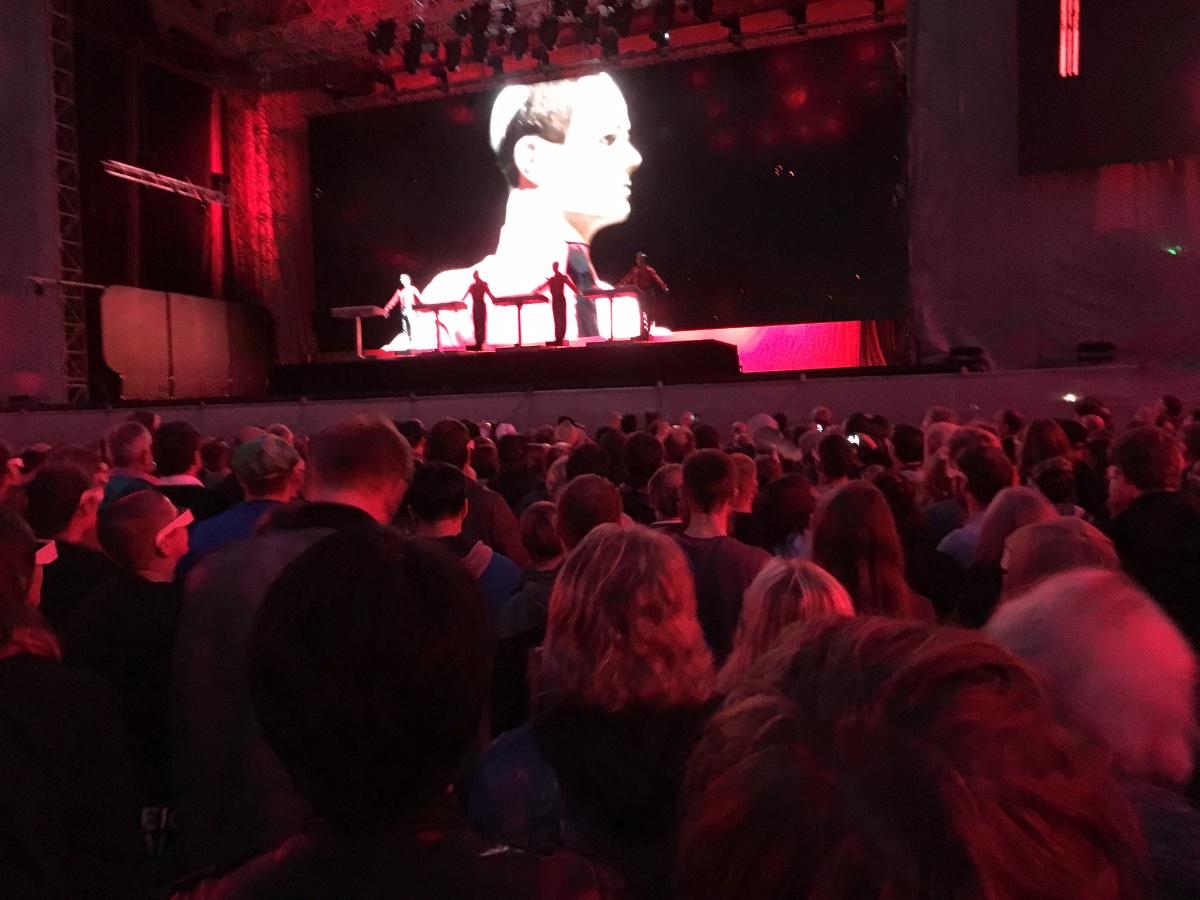
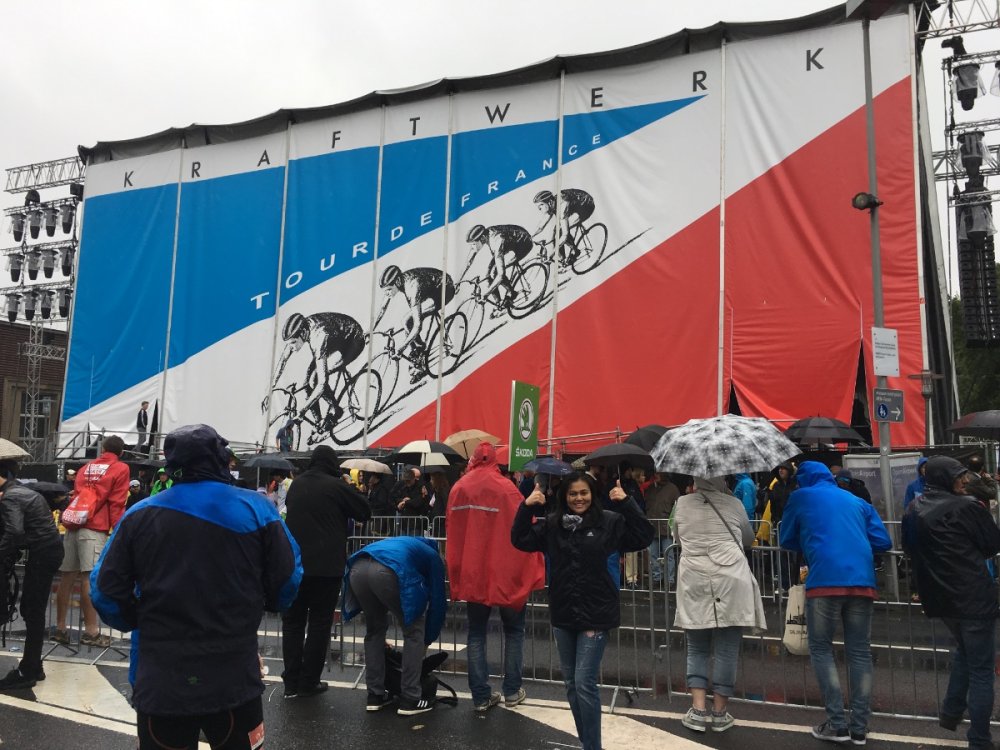
@Lip That´s good stuff! Need to look up for more from Porcupine Tree. Very nice pictures of you! I need to go more often to live concerts; last one was already three years ago: Kraftwerk - live in Düsseldorf They made the open air stage with 3-D effects. It started in the afternoon, when there was still sunlight, but when the sun went down and it got night, the concert became a blast!


-
-

OpenXR support for IL-2 and DCS for Windows Mixed Reality VR headsets
Gus replied to Gus's topic in Technical Support
For sure, OpenXR and toolkit options made DCS VR look impressively crisp, without nearly no shimmering ( only distant clouds ), no screendoor effects or aliasing effects in VR which bothered a lot before. VR never looked as good as at the moment to me and performance with 30FPS by reprojection feels acceptable and smooth to me. The only thing is, that it could look & feel a bit better with 45FPS with reprojection. But knowing, that it could look and feel much, much better and almost perfect without any reprojection at 90FPS still bothers a bit. I wonder what we could get out of the system, when multithread is avaiable in DCS. With CAS the cockpits are such crisp, maybe need to balance that out a bit. -
OpenXR support for IL-2 and DCS for Windows Mixed Reality VR headsets
Gus replied to Gus's topic in Technical Support
@Lipfert I have to ask back. With that setting you get 45FPS with reprojection and 70 - 90 FPS in DCS, let´s say in a free overfly with a jet over Syria? My setting is very similar, but got only around 50 FPS without reprojection. I´m using CAS sharpening 60% in OpenXR toolkit ... could that be a FPS killer? -
Yesterday the Thargoids invaded the bubble and started a large scale war with humanity , but only on version 4.0 of Odyssey, as far as I understood. But Horizons CMDRs could still meet with Odyssey CMDRs for regular missions, but have no access to the new content in the game. So everyone actively playing for sure is running Odyssey 4.0. ... if only I had more time to play this - I like Elite Dangerous very much.
-
Didn´t have the steam version of Elite, but the standalone. When OpenXR toolkit came out I´d tried to make Elite run under OpenXR by copying the .dll files etc. what didn´t work. Sometime later, after Elite received some updates, it suddenly worked without copying anything. Just by using the open compositor tool and make sure Elite is as well as DCS noted there ti run under OpenXR. For the Elite Dangerous steam version, I would look on how to proceed OpenXR for the DCS Steam version - it should be the same procedure, like switching in SteamVR to OpenXR and execute the open compositor program. There shouldn´t be a manual copy of .dll files at all anymore.
-
Gone through the recommended settings, but this time made some FPS benchmark before and after revision of the settings in DCS only. Some of the recommendations I had already done, like the HAGS thing and most nvidia driver settings ( I would leave the setting in the nvidia driver panel to "maximum performance" instead of "normal", to avoid running it below the break even point for lower performance setting ). DCS Benchmarks before applying the recommended settings: Syria map F-16C free flight with reprojection on unlocked: 30/31 FPS. With reprojection off: 51 / 50 / 48 / 47 / 45 / 42 FPS Mariana map AH-64D rolling start and overfly with reprojection on unlocked: 30 / 31 / 25 / 23 / 27 FPS. With reprojection off: 34 / 35 / 38 / 40 / 41 / 42 DCS benchmark after applied the recommended settings: Syria map F-16C free flight with reprojection on unlocked: 30/31 FPS. With reprojection off: 43 / 44 / 40 / 38 / 48 FPS Mariana map AH-64D rolling start and overfly with reprojection on unlocked: 25 / 23 / 27 FPS. With reprojection off: 38 / 40 / 39 / 41 So in conclusion, I was a bit disappointed, that a slight degration was noticable instead of increased FPS. But as said, most recommended setting were already apllied before to the system. In anyway appreciate any performance guide, as there are always interesting tips and tricks with it, even I wouldn´t expect particular recommendations to have an effect at all and just being "nerdy knowledge" shared on youtube. e.g.: the swap file setting in windows doesn´t seem to be recommandable to me at all for modern high end systems ( as long as the background programs running on the dedicated flight sim PC exceed the usual 32GB RAM when the flightsim is running ). Also the VRAM of high end cards is enough to deal with everything graphics for the flight sim. Also I would expect the VRAM of the graphics card to be faster than the SSD, so it might be contraproductive to set a huge swap file in windows, instead of letting the system process the RAM usage. @Lipfert With advanced FPS counter in the OpenXR toolkit you could also observe the VRAM usage - I didn´t know that before. It was quite interesting what observed there while running the benchmarks: In DCS the VRAM usage was always around 11,9 GB for me with 3090 24GB VRAM on all flights/scenarios. In the beginning of the Mariana map scenario the VRAM counted up to 17, 18 GB, but then settled quickly at 11 - 12 GB during the flight and stayed at this level of usage. So you were right recently, that the 24 GB available VRAM is not be used usually. Can´t say how this figures have to be interpretated correctly, but this ´counting up´ to 17 / 18 GB of VRAM might be the process in which DCS reserves VRAM and when in flight the approx 12 GB is what is effectively used. Now to my wondering, after set the swap fil in windows as recommended, I observed a VRAM usage on the Mariana map of only 6 - 7 GB VRAM. Can´t say precisely how this come, but assume, that the algorythm is just looking for the bigger volume of Random Acces Memory to use. In this case it´s really counterproductive as the VRAM on the graphics card probably has got higher bandwidth and designed to be preferable in the graphics process. Finally I´ve set the swap file in windows back to default windows controlled. Just a note on reprojection. Using reprojection or not makes a big difference in visual clarity of the image in VR. So I´ve tried to lock reprojection at 45FPS, as got the impression, the performance of my system is enough to deal with 45FPS instead of flying with 30/31 FPS with reprojection all the time, but locking reprojection to 45FPS induces some ugly "heat blur" effects in the view/ cockpit everytime the performace dips below 45FPS, what was pretty annoying and a degration of quality with no noticable effect in improving performance. So locking reprojection to 45FPS really is not recommandable unless the real FPS stays on par or above 45FPS all the time.
-
@Lipfert meanwhile I only rarely fly around in Elite Dangerous and enjoy that cool VR view of space and spacestations in my top-end engineered Cutter, Corvette or Krait - not so much time anymore to follow the community goals and story parts of the game. If you´re also playing Elite Dangerous, you can add my CMDR name: "Voight-Kampf", so we maybe meet some day in elite dangerous space.
-
That will be a Monster PC!
-
@Lip: I didn´t measured anything on the 3090 / 3080 Ti, but have read in the DCS forums, that some guys mentioned, that DCS sometimes uses all of the 24GB VRAM, sometimes only half of it. I think the longer you stay in a DCS session, the more VRAM get used, but that´s just an assumption. What I can say for sure, is, that the more memory you got, the easier and faster it is for the app to address the blocks within the available capacity, means the app does not have to figure out the available free blocks on the RAM to write on, what costs performance, but could flood the RAM randomly very fast, if enough of it is available. But that´s all I know about VRAM. Von, you could get a Win10 License key for 20 bucks or less and just download the official win10 installer on a USB stick and fill in the license key later.
-
The switch from a RTX 3080Ti to RTX 3090 made a difference to me. Well, not like a milestone difference, but noticable difference. The more VRAM pays off in DCS. You can´t have enough VRAM nowadays, I´d say. Surely depends also on the price difference of these cards, but if it´s not so much, I would invest that little more and go for the 3090. Also I would say, that the 24GB VRAM of the 3090 will be longer sufficient in future. Don´t know the pricing of today, but maybe there´s a good offer on black friday sales this friday.
-
OpenXR support for IL-2 and DCS for Windows Mixed Reality VR headsets
Gus replied to Gus's topic in Technical Support
@Labroisse That would make sense, that the Necksafe might be the cause for the issues in updating the toolkit to 1.2.1, as so far I didn´t updated to the newer OpenXR Necksafer version, which came out recently and still running the first OpenXR Necksafer version, hence no additional registry key for the Api Layer ( Necksafer ) and no issue in updating the Toolkit ... Did you recorded the increase in perfomance by "Turbo mode" with or/and without reprojection activated? I´ve read in the DCS forums, that it should only work when reprojection is disabled, but I wouldn´t rely on the user comments made there. -
OpenXR support for IL-2 and DCS for Windows Mixed Reality VR headsets
Gus replied to Gus's topic in Technical Support
When you execute the OpenComposite.exe there should appear a small window on the desktop. In that window you could switch from SteamVR to OpenXR and there is also a huge button to update the application. Edit: Have to look for a download link by myself, but I have attached the OpenComposite App which is in use on my system. Just execute, update and switch to OpenXR. OpenComposite (1).zip -
OpenXR support for IL-2 and DCS for Windows Mixed Reality VR headsets
Gus replied to Gus's topic in Technical Support
@Vonrd have you updated the companion app once in a while? Sometime ago I did that, which was also a one-click job within the companion app. Necksafer is working after the OpenXR toolkit update. The new CAS sharpening made that update worth to me. EDIT: oh, just figured out, that above I´ve meant to update the OpenComposite Runtime switcher and not the companion app ... -
OpenXR support for IL-2 and DCS for Windows Mixed Reality VR headsets
Gus replied to Gus's topic in Technical Support
Today an updated version of the Windows OpenXR developer tool and the OpenXR toolkit was released. To update the Windows OpenXR developer tool simply go into the Windows Store App and update the Apps in your library - no more action needed. To update the OpenXR toolkit got here https://mbucchia.github.io/OpenXR-Toolkit/ , download the latest version of the OpenXR toolkit ( 1.2.1 ) and install it - no more action needed. With the updated OpenXR toolkit there are two new option: 1. Turbo mode: it should increase FPS, when not using reprojection, didn´t test that, as I need reprojection. 2. CAS sharpening: That´s a good one! Before the update, I had FSR activated and sharpening set to 60%. After the update I´ve activated CAS instead and left sharpening at 60% - the overall image quality is significantly better to me now. -
I wouldn´t expect GSync to have any impact on VR, as it is exclusively meant for special Flatscreens with GSync capability.
-
made a screenshot: it´s in german, but I think you could read... In OpenXR toolkit I´ve only set sharpening to 50% and reprojection default/on Renderscale at 100% in OpenXR developer tool After setting Monitor to Stereo, I now could very noticable see the textures of buidlings popping in, respectively seeing the buidlings more defined and less blurry from a distance but without textures in that distance... maybe need to increase the radius or scenery detail to balance out that texture popping in.

-
Did some on/off tests with the ´Stereo´ setting in VR. @Snaggle The setting in DCS graphics options/Monitor, we´ve talked about on saturday. So, just took one time the F-16 over Nevada with one time set to "1 Monitor" and next time same scenario, same aircraft with set to "Stereo" 2nd test with the Hornet over Persian Gulf one time "1 Monitor" one time "Stereo". Main question for me was: Am I a victim of my own illusions? What I was looking for, are clues, which obviously make a difference. Well, there are clues, I would say, but they are not such obvious. Overall the image quality in VR with set to "Stereo" in the Monitor options appear better to me and also overall brighter and more clear! This was mostly obvious to me on the surfaces of the cockpit and commonly in the whole image. In particular I was flying with the Hornet from the airport at Dubai to the east. There is a wide flat area and a particular mountain in the far distance, which looks a bit like Ayer´s Rock in Australia. Now with the set to "1 Monitor" that mountain in the far distant at the horizon, most of the time appear blurry and washed out, until you are really close and have to pull up for not crash into it. With set to "Stereo" that one particular mountain appeared much better contured from the distance and I could have seen differences in the textures, like dark and bright places on that mountain from far away. Everything is much clearer and cleaner contured and the landscape overall appear more plastic to me, so yes, I would recommend to set the monitor to "Stereo" for VR. That "stereo" setting also would make sense for VR only, as there´s no other thing, where it could be applicable. The shutter glasses for 3-D stereoscopic work with one distorted monitor image only in the way that each frame on the monitor is distorted from the next frame and so on, the glasses then shuts down left eye and right eye to black alternately, what in result creates a 3-dimensional image in the brain ( the monitor has to have at least 120Hz to make the image coming to the eyes appear smooth with 60Hz/ 60 FPS ). The old green and red filtered paper glasses, like for 3-D movies in the 50´s, just filters out colors from one screen/one monitor to distort the image for each eye- so VR is the only technique, which makes use of two separated screens for 3-D stereoscopic view. In my conclusion that "stereo" setting in DCS is meant for improving VR only.
-
I know, what you mean, but always trust my eyes more, than what I´ve read in the internet. For this case, the improvement by this setting in the Nvidia profile inspector is even more noticable in Elite Damgerous in VR. There are more, who say, they don´t see any difference, but I have no idea why. Maybe there is some setting elsewhere in the regular Nvidia driver or in the DCS graphics options which influences the effect ... Have you seen the new setting in DCS, which came with the last patch yesterday? In the DCS options settings you now could set "Monitor" to ´Stereo´. I´ve just done this and DCS really looks good in VR. Now I´m exactly at your point, that I can´t say, if it had looked really good before or if that new ´Stereo´ in DCS settings has got a noticable effect for VR 3-D stereoscopic presentation. Didn´t read anything about this ´stereo´setting so far. Need to try some on/off comparisons to get a better impression...
-
@Snaggle Cool! I didn´t noticed so far that spotting is improved too. The difference is mostly visible to me in the cockpit, panels, gauges, but also hills and mountains in the distance... everything just pops out much better and gives a better perception of depth and 3-D geometry. Recently the difference came to attention, when I was rearming at the apron and watched out to the many hangars along the taxiway. It really was a much better perception of depth from the closest hangar to the next and the next in a bit more distance. I´m running too a Reverb G2 @100% render scale with a 3090 OpenXR
-
Hi Lip, could you have checked out, if it works? below I have attached the version of nvidiaProfileInspector I am using. There´s no need to install, just save it somewhere and execute to get into the adjustable settings. The nvidia Profile Inspector is an official Nvidia tool, which exists for decades aside the official Nvidia drivers, so no worries it might be malware, a mod or something like that. The setting described in the video above only affects the stereoscopic 3-D effect for VR and the Nvidia 3-D vision goggles. I think this setting in particular is there for the Nvidia 3-D vision goggles, but even the Nvidia goggles create the 3-D effect by shutter technology it does improve the 3-D effect for two distorted screens, like being used in VR headsets. I would expect no effect for 2D monitor by this. Don´t expect a milestone, but overall it is a nice and noticable improvement for VR with Nvidia graphic cards. nvidiaProfileInspector.exe