






Flyboy
Members
-
Joined
-
Last visited
Everything posted by Flyboy
-
I was surprised the controller was as calm as he was. I’ve heard this controllers at JFK be a lot more nasty than that.
-
South American contractor goes off runway during landing.
-
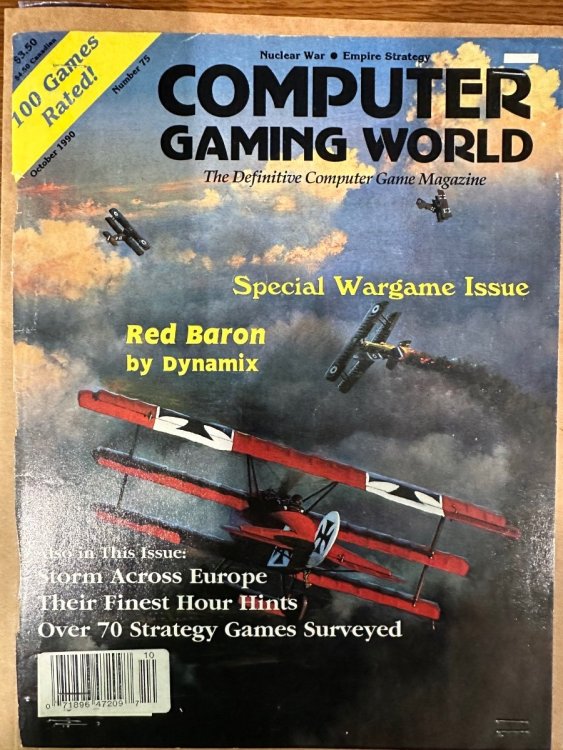
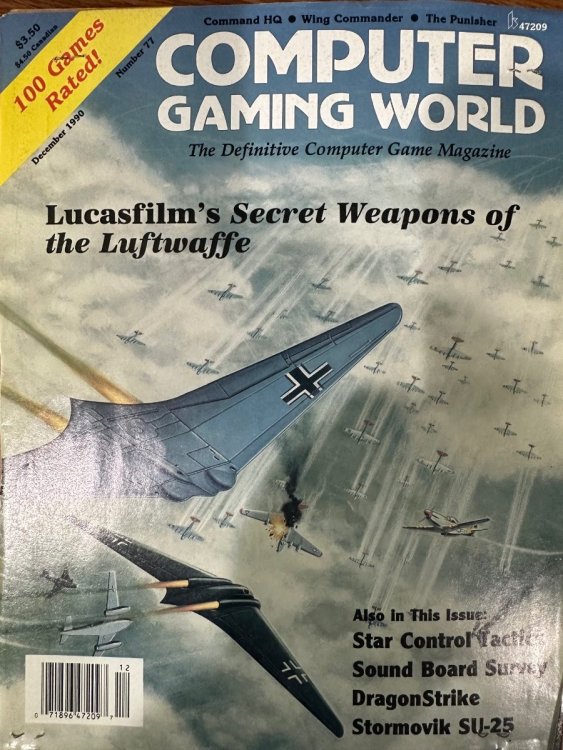
https://www.19fortyfive.com/2023/09/putin-should-be-ashamed-russias-last-aircraft-carrier-is-a-floating-dumpster-fire/Was going through some old files and had the covers of these clipped
 Ok so I had to share this because it was super cute and fun. Our nonprofit did a special “Where’s Romeo?” event where we took our mini Romeo to Tractor Supply. The winner who found him first and said the code word Popsicle got a gift certificate from the manager.
 I recently used this video to tweak settings for both msfs and DCS and it seems to be working. Went from 40 to 60 fps in DCS and msfs is running much smoother. Here's some other recommendations from Hawg for msfs. The tree mod really helps make it more realistic and not so "zombie apocalypse." Put these in the Community folder: https://flightsim.to/file/40530/forest-enhancement-mod https://flightsim.to/file/26186/powerlines-and-solar-farms https://flightsim.to/file/16674/we-love-vfr-region-2 https://flightsim.to/file/28286/unknown-s-runway-lights https://flightsim.to/file/8614/airports-lights This is also worth looking into as a fun business strategy option to msfs https://www.neofly.net/One of my favorites also. Had to read the first on for sci fi class in college then years later got around to reading the whole series and it surprised me. My other favorite series at the Patrick O’Brien series (Master and Commander is first book and title of movie they made with Russell Crowe). my other is Sharpe’s Rifles (Sean Bean got his start playing the role in the series).https://takeflightohio.com/index.htmlI’ve been working a lot this week and haven’t had a chance to sign up yet but will def be participating and should be able to do the poll later today.I recommend the L-39. Great training airplane!I will be getting online soonPlanning on it!Crazy but interesting. https://www.popsci.com/technology/darpa-crane-aircraft-program/I saw a video of someone doing this and looked fun.Is that the accident where the wing came off during maneuvers? Two pilots from our company were sent to do upset training they were to take back for our sim training and sadly one of them was in the airplane maneuvering when the wing came off.That one looks even better! I wonder how much actual air time you get.Welcome! We have an active Flying Circus group in the US on Tuesdays 2100 ET (0200 UTC) but that might be a bit late for you. We sometimes have events on Sat/Sundays also, and I am often available at earlier times during the week if you want to fly some "wooden crates" together If you like aviation history, I recently read the book "The First Fighter Pilot" about Rolland Garros and it's an amazing account of his life and life in Paris in the early days of flight.https://www.skycombatace.com/book/las-vegasDCS keeps crashing every time I look down to the right instrument panel and try to change the TACAN channel 😑The video mentions the A-4 manual is actually downloaded with the mod and I found it in Mods/aircraft/A-4E-C/Docs. It's actually pretty good.Any recommended guides to learn A4? I was playing a little with it and there isn’t a chucks guide.





Account
Navigation
Search
Configure browser push notifications
Chrome (Android)
- Tap the lock icon next to the address bar.
- Tap Permissions → Notifications.
- Adjust your preference.
Chrome (Desktop)
- Click the padlock icon in the address bar.
- Select Site settings.
- Find Notifications and adjust your preference.
Safari (iOS 16.4+)
- Ensure the site is installed via Add to Home Screen.
- Open Settings App → Notifications.
- Find your app name and adjust your preference.
Safari (macOS)
- Go to Safari → Preferences.
- Click the Websites tab.
- Select Notifications in the sidebar.
- Find this website and adjust your preference.
Edge (Android)
- Tap the lock icon next to the address bar.
- Tap Permissions.
- Find Notifications and adjust your preference.
Edge (Desktop)
- Click the padlock icon in the address bar.
- Click Permissions for this site.
- Find Notifications and adjust your preference.
Firefox (Android)
- Go to Settings → Site permissions.
- Tap Notifications.
- Find this site in the list and adjust your preference.
Firefox (Desktop)
- Open Firefox Settings.
- Search for Notifications.
- Find this site in the list and adjust your preference.