






Vonrd
Moderators
-
Joined
-
Last visited
Everything posted by Vonrd
-
That's great! I would have not suspected that to be the issue. One of the problems is with game devs wanting to include the lowest common denominator. How many of their long term customers use a keyboard to fly?... Zero? Still, they get some $ from the fleeting "try it" folks. I'm surprised that tech support didn't ID this as an issue. You should definitely let them know in order to help others that might encounter this issue.
-
-
-
Posting this for =J18=Winkelmann — Today at 1:50 PM Can I register via this discord? Your In-Game Name: =J18=Winkelmann FIF Discord Name: =J18=Winkelmann [if applicable] Squadron affiliation: Jasta 18 Your time zone: UTC +2 Dry Run Test (Saturday, 12 October 2024): Yes Week A1 (Saturday, 19 October 2024): Yes Week A2 (Saturday, 26 October 2024): Yes Week A3 (Saturday, 2 November 2024): Yes Week A4 (Saturday, 9 November 2024): Yes
-
So Joao, did you remember to safety the prop nut?Wait a minute... you're calling me short? I'm exactly the same height. I had thought that I was high stature! Now I'm... 😥No, I just wanted to help out just in case you were not "getting it".@Erhardt I'm curious as to why you are posting the "confused" emoji on everything. Are you actually confused about the posts?Posted to the IL2 Forum: https://forum.il2sturmovik.com/topic/89396-flanders-in-flames-mmxxiv/
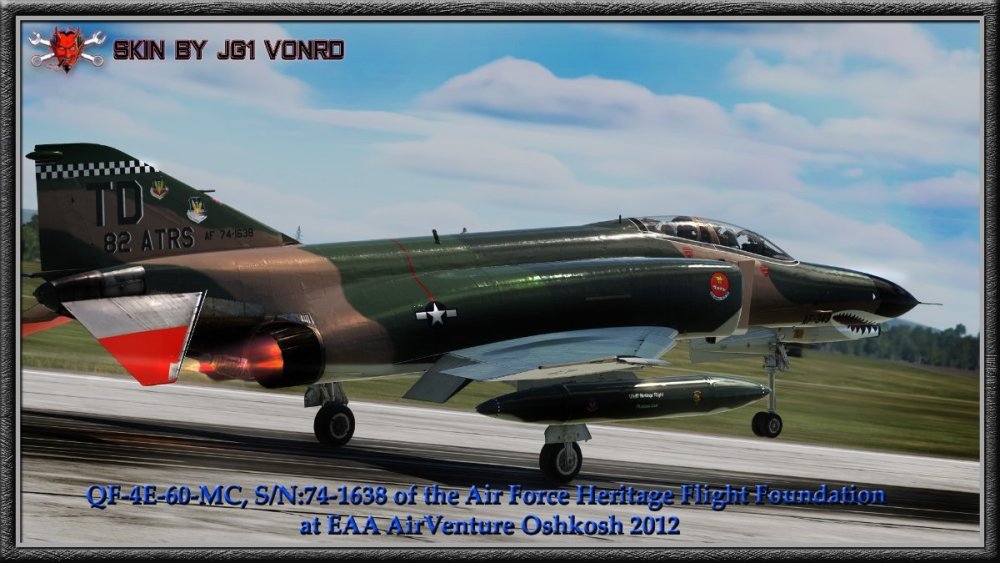
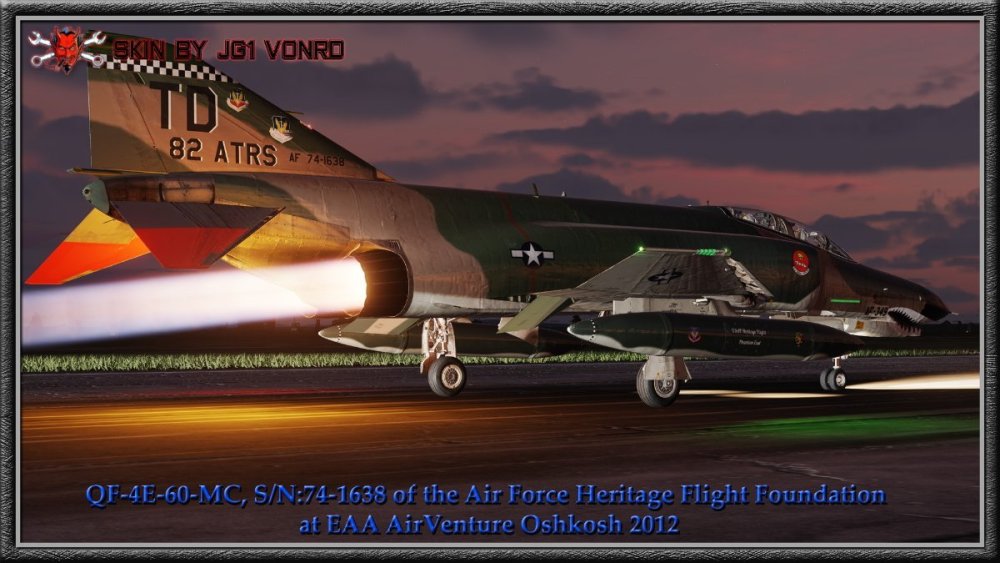
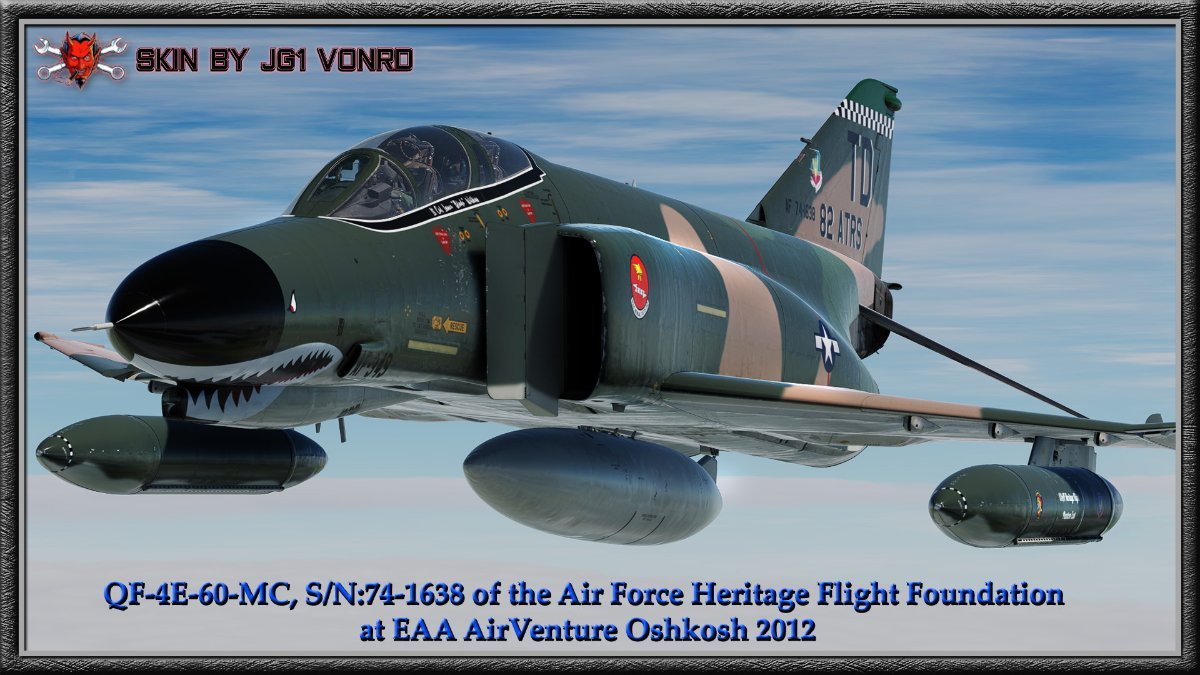
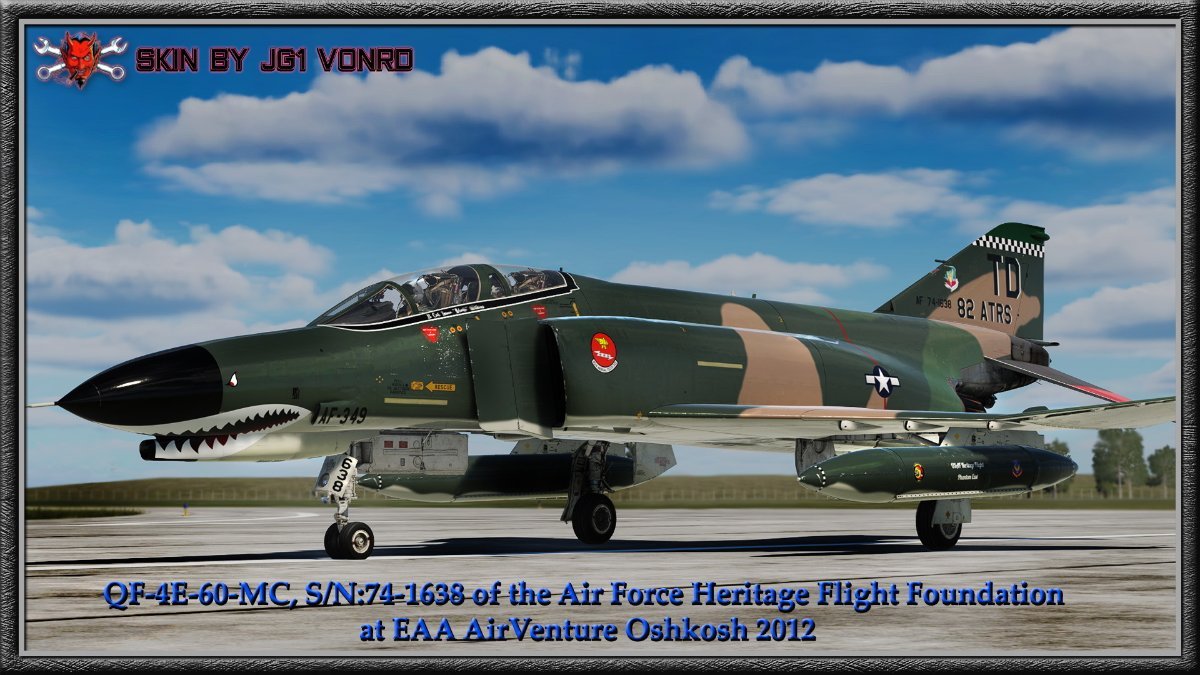
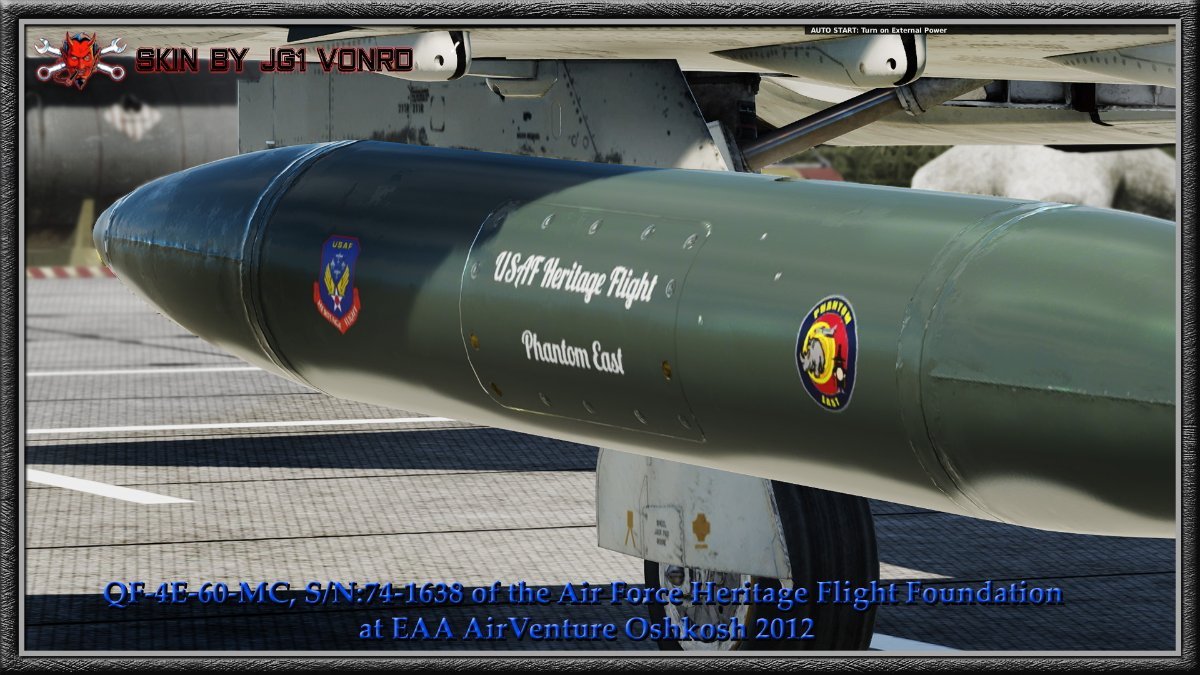
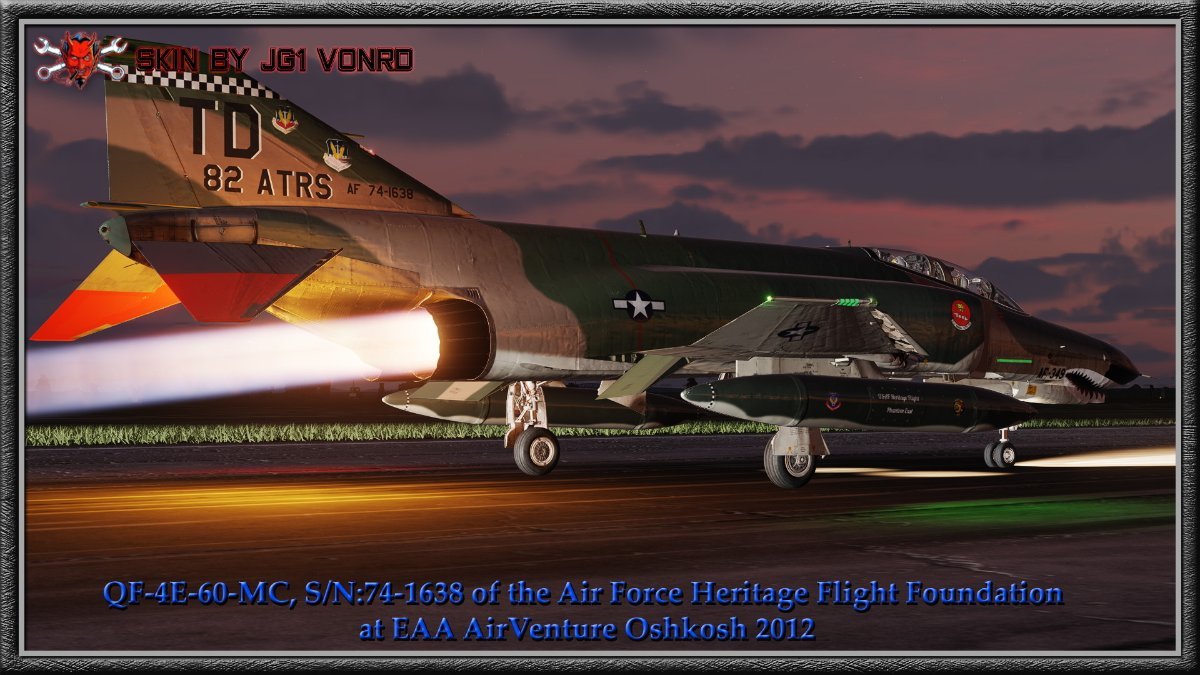
 Well, There's always the ceiling 🙃I would still post a ticket with DCS.We have WAAYYY too much stuff taking up every surface in the house... It's why I stopped glassblowing for now. No place to put anything.Hmmm... https://ideas.lego.com/projects/ba18f40f-8a12-4c04-b6c5-862ce92c53aa@Labroisse it was apparent tonight that you are still having issues with your machine crashing when on DCS online. I put this in the public area in hopes that someone maybe has experienced a similar black screen crash and might have a solution. So, you have a fresh install of DCS. I assume that you are not running any mods. You disabled Discord tonight. Not running SRS. What about VoiceAttack? Are you running any 3rd party software for your controllers / peripherals? Since it only seems to happen when online could it be anti-virus? Try disabling Windows Defender and any other security software just for the time that you are online in DCS. It's unlikely to be attacked in that short time. Are ALL drivers up to date? Are other games OK? Finally, submit a ticket to DCS. Even though there are no DCS crash logs, they might have some ideas / instructions for TS. They have been VERY helpful for me when I was having crash issues. They certainly want to get you up and running in order to sell you more modules but they are also game nerds and genuinely want to help, in my experience. Hoping that you find a resolution... we miss flying with you!Perfect for your next camping trip... your neighboring campers might not be so happy about their tents being blown across the lake from your rotor wash though 😅 https://www.thedrive.com/news/34753/the-winnebago-heli-home-was-a-real-flying-rv-that-needs-to-make-a-comeback-in-2020Somewhat militaristic for Burning Man but I kinda like it...For OVGME: Root Snapshot Introduction The snapshot feature allow to create a file tree snapshot, with checksum, of the root folder for the current configuration. Once the snapshot is created, you can compare it with the current state of the root folder file tree to check if any file was added, removed or modified. Creating a Snapshot To create a new snapshot for the current configuration, go to the "Config" menu, select "Snapshot" then "New...". A new dialog will prompt you to begin the snapshot process. The snapshot can take long time since it must read all tree and files of the root folder to create a xxHash checksum. You can cancel the snapshot process at any time. Comparing a Snapshot To compare an existing snapshot for the current configuration, go to the "Config" menu, select "snapshot" then "compare...". A new dialog will prompt you to begin the comparison process. The comparison process can take long time since it must read all files to verify the xxHash checksum, you can cancel the comparison process at any time. Comparison output During the comparison process, an output log is generated in the comparison process dialog window. This output log lists all file tree differences with the last snapshot. This list has three columns: Type, Change and Path. Type : identifies whether the concerned entry is a file or a directory. (f) : stands for File. (d) : stands for Directory. Change : identifies what kind of changes occurred about this entry. + : stands for added, the file or folder was added since the last snapshot. - : stands for removed, the file or folder was removed since the last snapshot. ~ : stands for modified, the file was modified since the last snapshot. Path : identifies the relative path of the entry from the root game folder. The Manual: https://forum.dcs.world/applications/core/interface/file/attachment.php?id=87665There was a question about Mod managers tonight. Some are not using any of these. I highly recommend using a Mod manager. You can enable / disable mods with the click of the mouse with no possibility of forgetting one of the files when you need to disable a mod. I use OVGME just because it works well and I'm familiar with it. There is a newer manager, "Open Mod Manager" which I haven't tried since what I'm using "Ain't Broke". JSGME is even earlier than OVGME and I used to use it. I think some are still using JSGME and it does still work. OVGME allows you to manage mods in Saved Games as well as directly in the game folders. One thing is that you have to be sure that the file architecture that you use needs to be in a certain structure (what the game structure actually is). I'm happy to help with any questions about OVGME. Can't help with the other programs. Here's a link explaining it really well. https://wiki.hoggitworld.com/view/OVGMEThis is a depiction of Phantom II, QF-4E-60-MC, S/N:74-1638 of the Air Force Heritage Flight Foundation at EAA AirVenture Oshkosh 2012. The aircraft has a very glossy "wet look" paint job, probably something similar to Imron paint. I've wanted to do a shiny and relatively un-weathered skin and this seemed to be a suitable subject. Link: https://www.digitalcombatsimulator.com/en/files/3340370/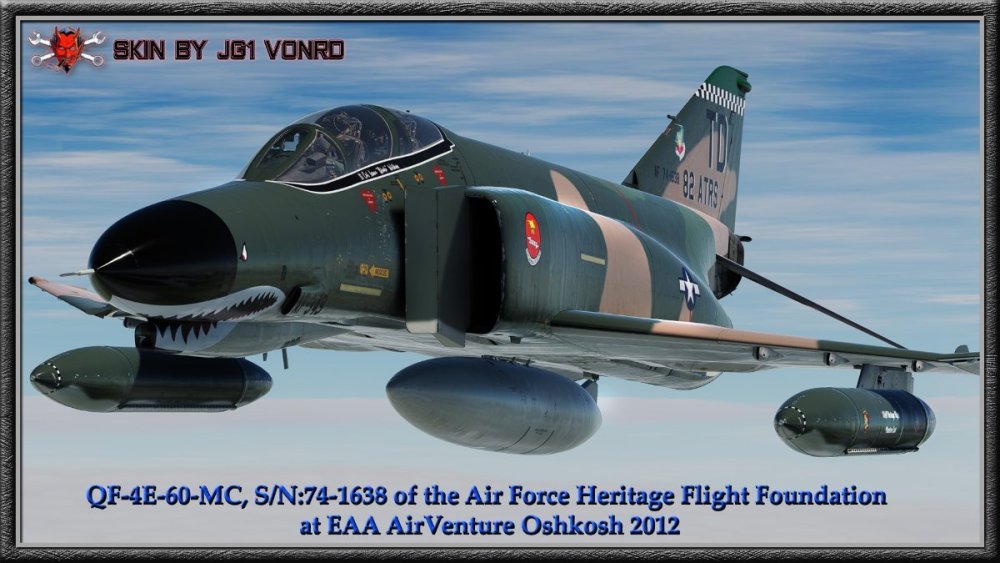











Account
Navigation
Search
Configure browser push notifications
Chrome (Android)
- Tap the lock icon next to the address bar.
- Tap Permissions → Notifications.
- Adjust your preference.
Chrome (Desktop)
- Click the padlock icon in the address bar.
- Select Site settings.
- Find Notifications and adjust your preference.
Safari (iOS 16.4+)
- Ensure the site is installed via Add to Home Screen.
- Open Settings App → Notifications.
- Find your app name and adjust your preference.
Safari (macOS)
- Go to Safari → Preferences.
- Click the Websites tab.
- Select Notifications in the sidebar.
- Find this website and adjust your preference.
Edge (Android)
- Tap the lock icon next to the address bar.
- Tap Permissions.
- Find Notifications and adjust your preference.
Edge (Desktop)
- Click the padlock icon in the address bar.
- Click Permissions for this site.
- Find Notifications and adjust your preference.
Firefox (Android)
- Go to Settings → Site permissions.
- Tap Notifications.
- Find this site in the list and adjust your preference.
Firefox (Desktop)
- Open Firefox Settings.
- Search for Notifications.
- Find this site in the list and adjust your preference.