Vonrd
Moderators
-
Joined
-
Last visited
Everything posted by Vonrd
-
-
-
-
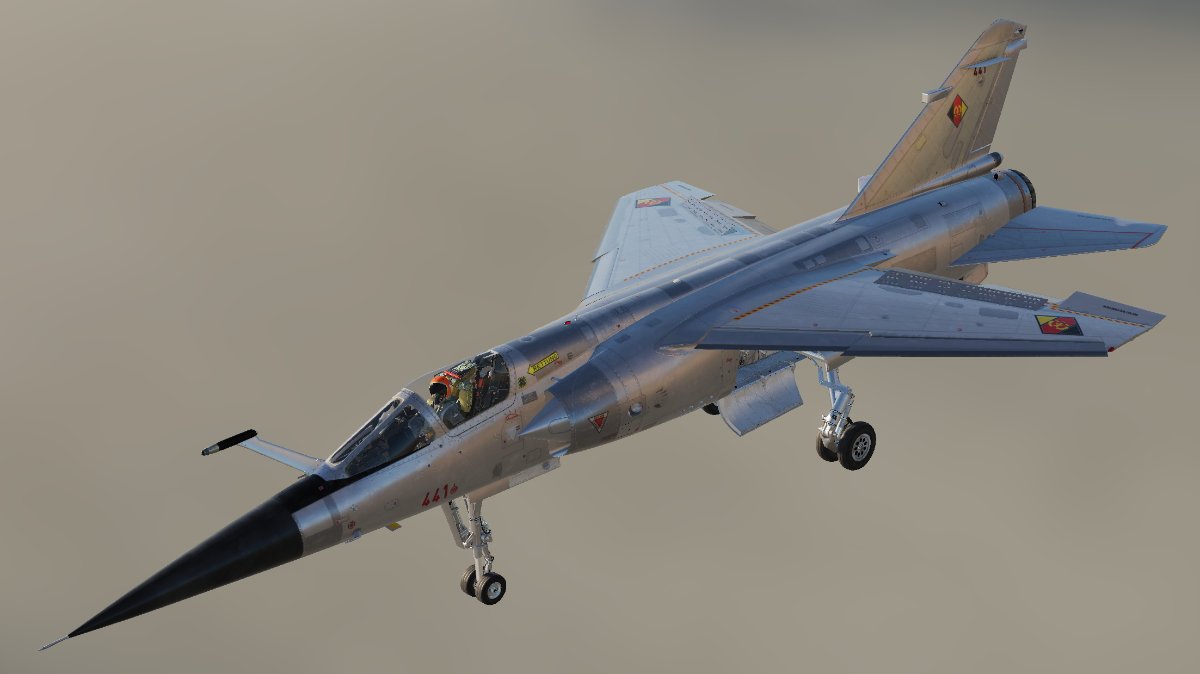
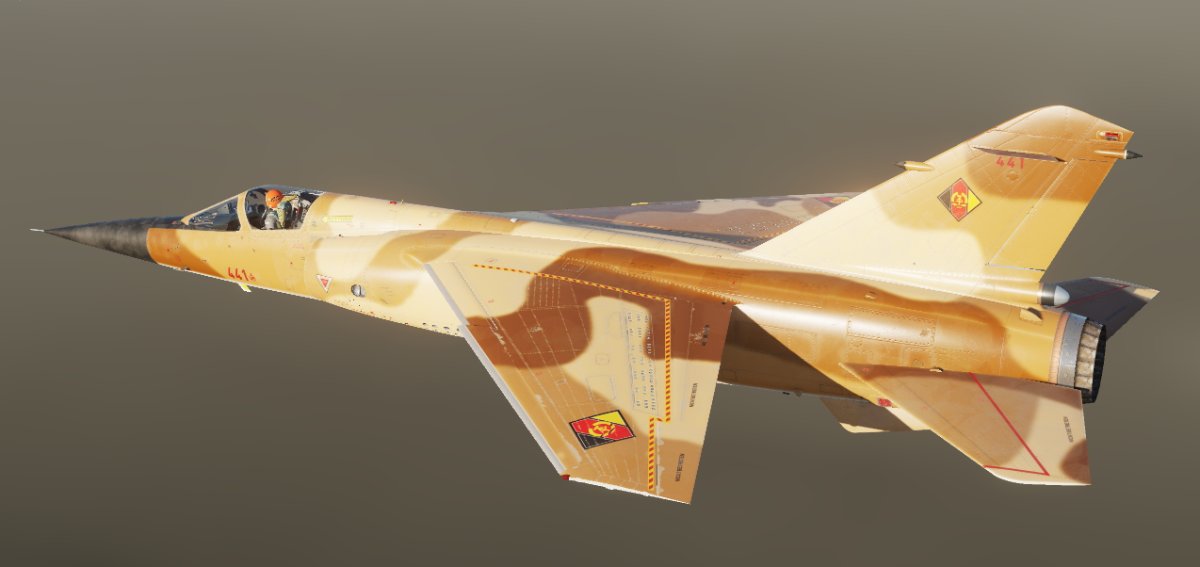
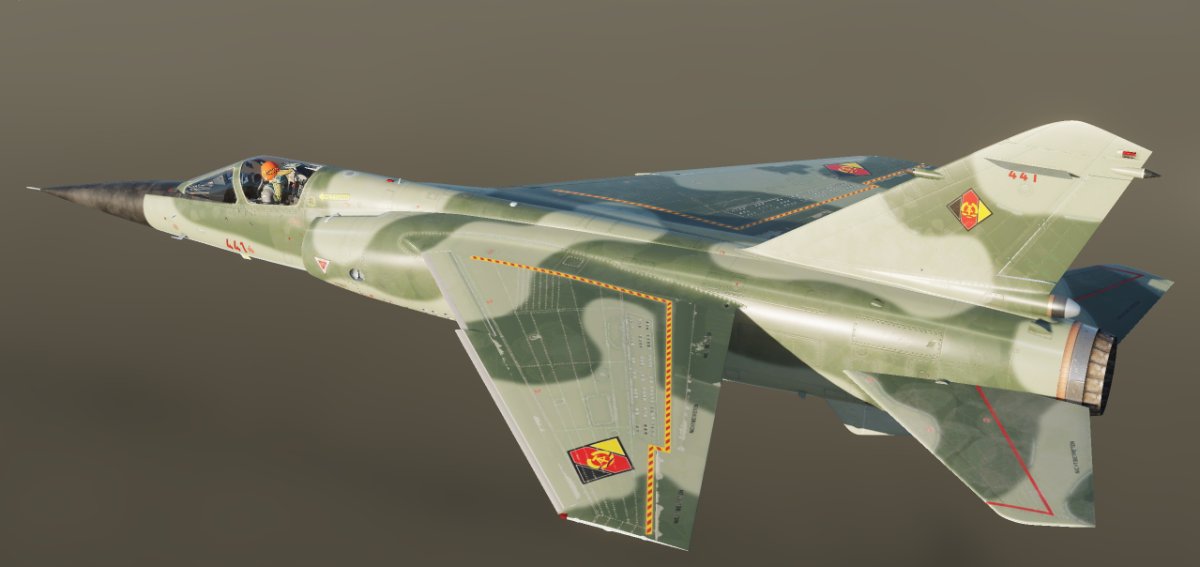
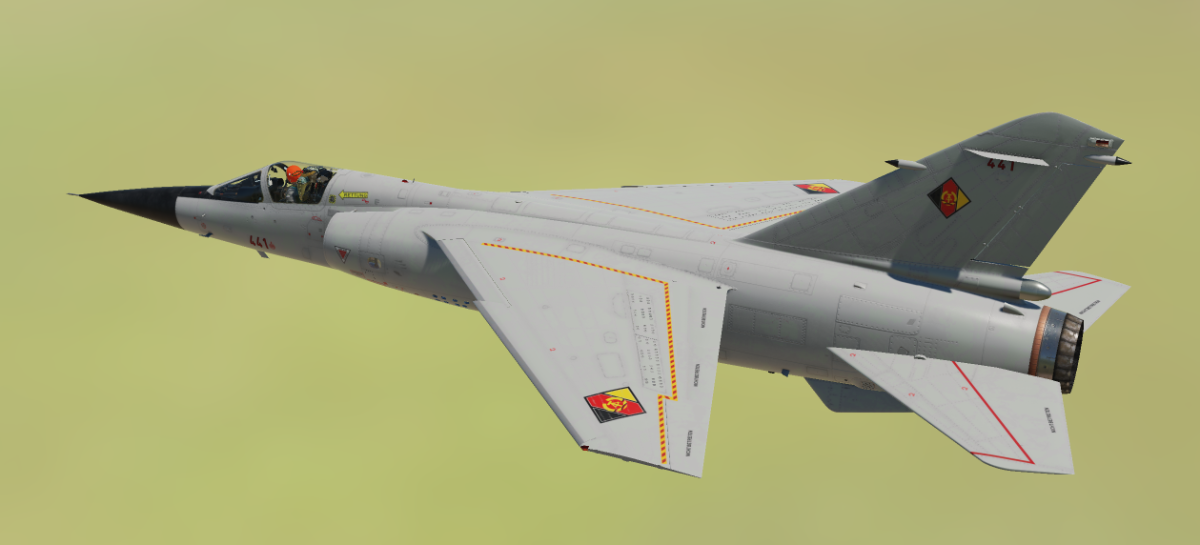
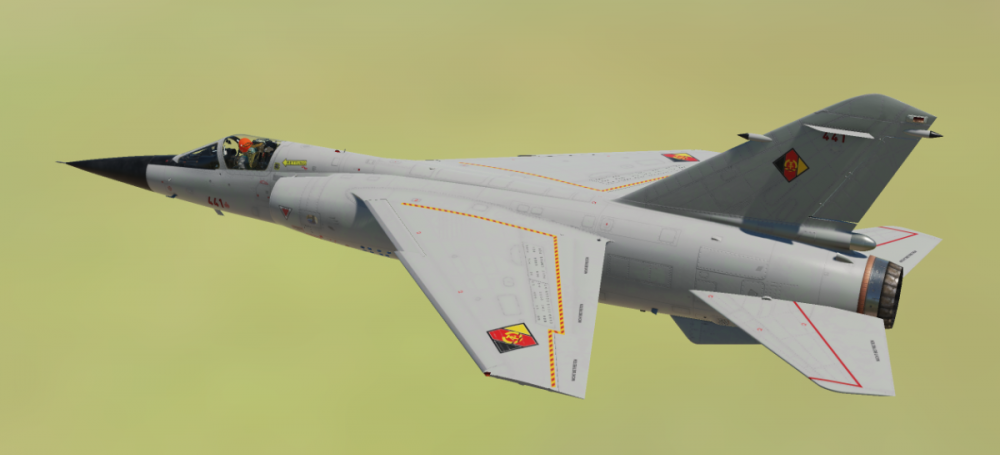
Mirage F1 DDR Gray. I didn't spend too much time on weathering and roughmets but I think it looks OK, sorta newish. Added German pilot. There weren't many good Bort locations available and this seemed to be the best that would allow 3 digit Borts. Link: https://www.dropbox.com/sh/mdwv20cv92futfz/AAAwODgSjf9fEF-SDzly5iv8a?dl=0
-
I've read all of his books about a Huey assault company. While fictional, it's a thinly veiled autobiography with most of the characters, events, operational aspects and units historically correct. There are numerous footnotes backing this up. His "About Me" blurb: Born into a Navy Submarine Family, I traveled the world as a child. Since I was born in 1947 and until 1993, every three years I moved to a new location as a military brat and as a service member. Enlisted in the Army in 1968 after two worthless years of college and became an Army helicopter pilot serving for 18 months in Vietnam. Was promoted to a commissioned officer while serving in Vietnam and stayed on active duty until 1993. In that time I commanded rifle companies at Fort Lewis Washington and Anchorage Alaska where I commanded an airborne company. Highlight of my career was commanding an air assault infantry battalion during Operation Desert Shield/Storm. The Army sent me back to college to finish my bachelors degree and later working on my own, two master degrees. Once I retired I went into private business and finally retired in 2015. My wife has been with me for 51 years now and I have two sons, both Army officers who rose up through the ranks like their grandfather and me.
-
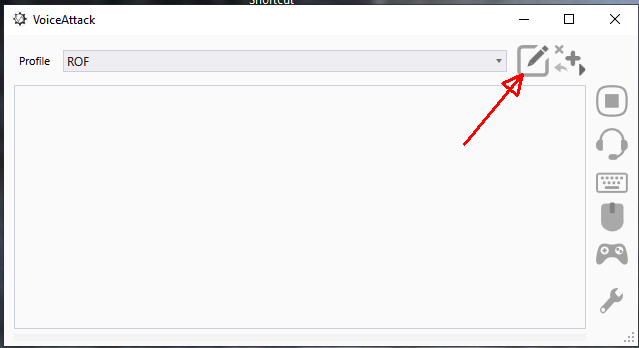
To add this (or any other profile .vap for that matter) to an existing profile, follow these steps: Click the edit box Click "Import Commands" Highlight the profile that you wish to import and click "Open" This will bring up another window. Click "Import" Click "Apply" then "Done".


-
It works well but will need a test with other people in channels. JG1 Discord Switcher-Profile.vap
-
Looks like that will work. I'll do the VA as soon as I'm done with this mission. Thanks
-
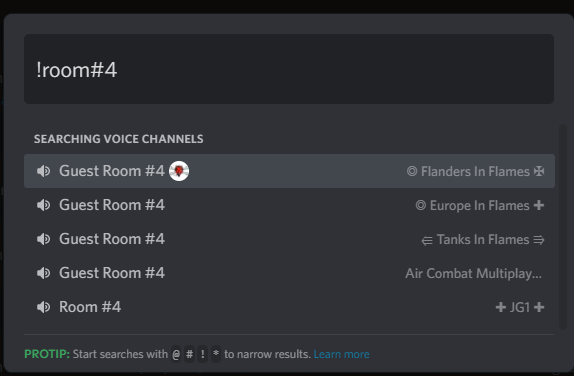
Rooms 1,2 and 3 worked but not room 4. It doesn't seem to discern the exact phrase and there's no telling which will be at the top of the list. It looks like it would need completely different channel names for each Discord. Maybe Red#1, Red#2, Red#3, etc. for JG1, Yellow#1, 2,3, etc. for ACME and so on.
-
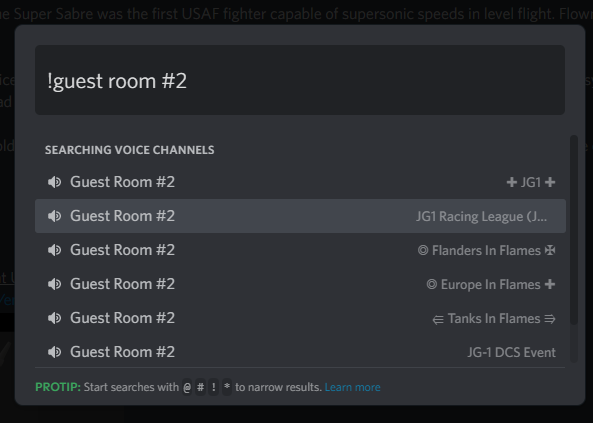
The straight "Flight" (Flight #1, Flight #2, etc are working well and I have all 6 of them in the VoiceAttack profile, however... It seems that there are "Guest Rooms" in numerous Discords... see attached. In order for it to work in Voice Attack, each group of Guest Rooms would have to have their own nomenclature, i.e. JG1 could be "A Guest Room #2", JG1 Racing League - "B Guest Room #2", etc. I'm not sure if it's too much difficulty and worth the effort but so far it seems to have promise for being able to switch channels in Discord without having to alt / tab out of the game. I'm holding off for now and would like to know if others feel this would be of value.
-
No comprende
-
OK, I made a VoiceAttack profile for the JG1 Discord and it seems to work. I couldn't test fully since there was no one else in the channels. One thing that would make it easier would be to re-name the "Flight Room" channels to something that doesn't have "Flight" in the name (maybe "Main Room # 1, 2, etc.) since the macro brings up a list of channels with "Flight" in the name. So, it brings up something that looks like this: Flight #1 Flight Room #1 Flight #2 So, I had to add a down arrow to bypass Flight "Room" #1 when switching from Flight #1 to Flight #2. I've only done Flights 1 & 2 but if the Flight Room channels are changed as noted above, it's a simple duplication of the commands with just the numbers needing to be changed. I'm pretty sure that this will work. Give it a try and let me know what you think. JG1 Discord Switcher-Profile.html JG1 Discord Switcher-Profile.vap
-
Well, so far I can't switch between voice channels, only channels prefaced with #.
-
There's also this: https://support.discord.com/hc/en-us/articles/115000070311-Quick-Switcher#:~:text=Look no further!,to whichever destination you desire. I would imagine that you could bind buttons using a 3rd party app like JoyToKey or Joystick Gremlin. I'll give it a try as soon as I have time but not at the moment. Maybe someone else might give it a shot?
-
More interesting stuff: Discord Shortcuts for Channels Switch between channels: Alt + Arrow Key Up/Down Switch between unread channels: Alt + Shift + Arrow Key Up/Down Mark a channel as read: Esc Go back to the previous text channel: Ctrl + B Go back to the active audio channel: Ctrl + Alt + A Display the list of channel members: Ctrl + U And other shortcuts can be found here: https://www.daskeyboard.com/blog/discord-slack-github-shortcuts/
-
I haven't tried this but, if it works, would be a great option: https://www.hardreset.info/devices/apps/apps-discord/move-someone-to-another-channel/#Windows
-
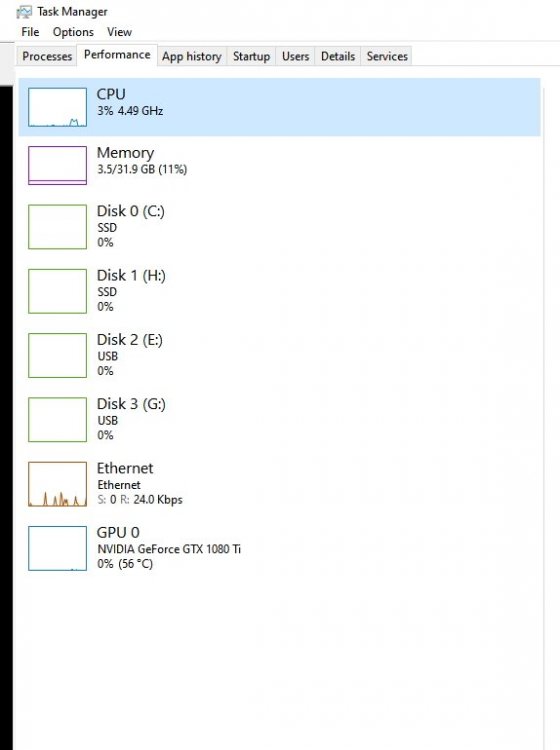
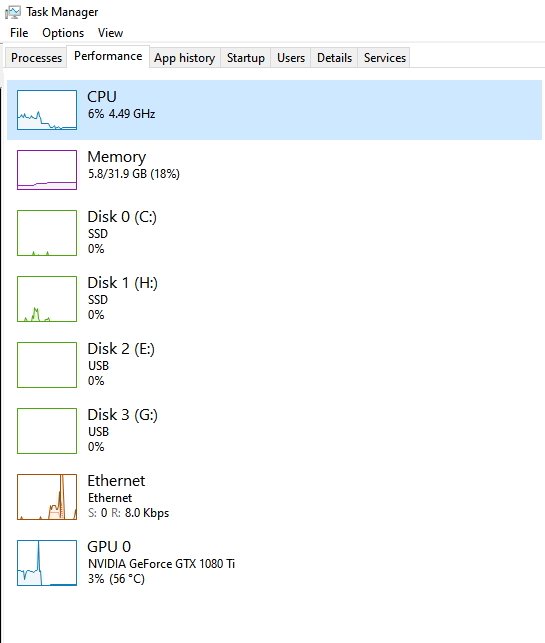
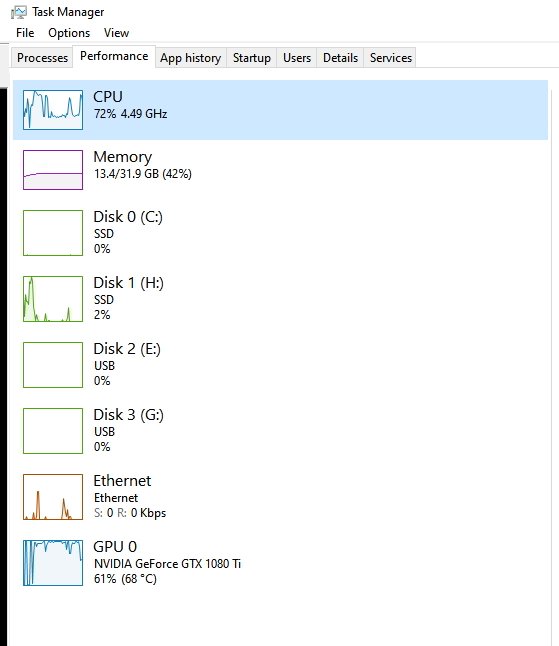
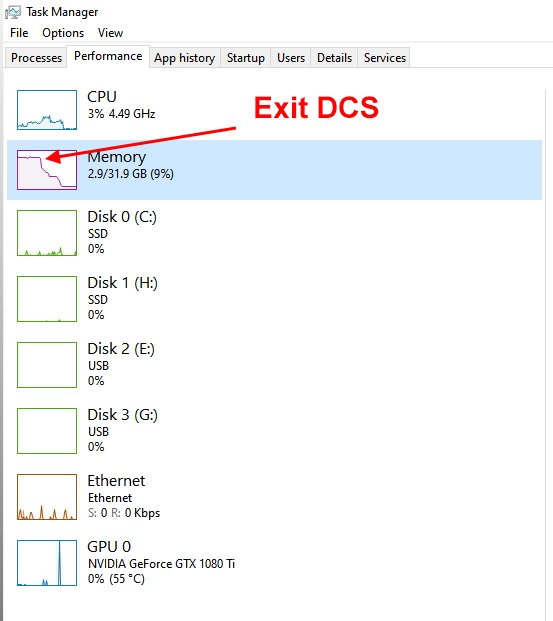
Looking at what DCS uses. Computer at rest Load DCS then idle DCS Quick Mission Free Flight JG1 Server in flight Enigma server Exit DCS I knew the GPU was working hard. The CPU didn't have too much load in Quick Mission or JG1 server but it's surprising that Enigma's had even less CPU usage. But Enigma nearly maxed out Memory usage. Not sure what it all means or what I can do about it except look forward to getting a new PC at some point.


-
-
-
SPAD 7 skins v_!_JG1_spad7early_Hotlead.dds v_!_JG1_spad7late_Hotlead.dds

-
And Camel v_!_JG1_SopCamel_Hotlead.dds

-
N28 with the changed stripe v_!_JG1_Nieuport28_Hotlead.dds

-
-
Camel v_!_JG1_SopCamel_Hotlead.dds

-
Sorry, way out of my realm of knowledge. Glad you worked it out.