


Yogi
Members
-
Joined
-
Last visited
Everything posted by Yogi
-
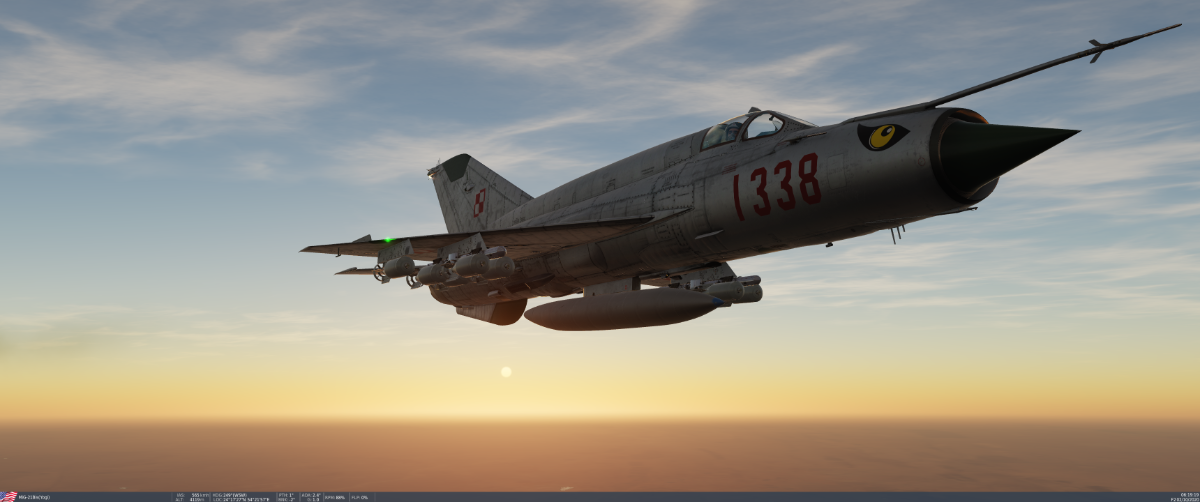
89gig patch for me (I own all modules). Its going to take me days to dl this update.I succumbing to they hype as well. I spent a cpl hrs flying the Hip yesterday as a salve of sorts.@Vonrd & I knocking things off the Greenie Board
 I got it working by unlinking my acct from Steam & downloading it direct.Welcome @Spartan071 If you decide you want to do more than dabble, we will train you. Schmenkel wants you!Thanks for the HU! I picked up tank battles just because.I was just deleting some screen shots & came across several I took when I made the toss bomb gif. I thought I would post them before I deleted them.


 Doing a little night work & really liked how this came out.
 Those U-boats are something else. I finally found one & wished I didnt! They are small, hard to spot, harder to hit & have the best gunners in the Reich! Every pass I made at him I took hits till finally my engine seized. I wonder if strafing does anything to them? 🤔 after I missed with both bombs I made 4 strafing passes to no obvious effect.

 @Klaiber (Bf109) & @Vonrd (P47)playing. Was fun guys, nice change of pace. We should do a designated DCS Oesau night so we can actually get gud in these beauties!
 I've pretty well gotten it down to a science using fixed beam radar for ranging. I can post a tut if anyone is interested in learning it?Afghanistan 1984. Hitting a stronghold with suspected strong Stinger missile defense.
 My google fu apparently isnt as stronk as I thought it was. I couldnt find anything on it. I did find an interesting recount of the Gulf Sidra incident from the Libyan MiG-23 pilots perspective though.Yep I use the steam version. I have was going to buy the standalone but did a bit of a reality check. I dont have the time to fly everything i have now. Why then am I pushing so hard for another title that will further dilute my time. In the end DCS is my 1st love & so long as it works, all's well in Yogi's worldNope. I tinkered with it for all of 5mins last night though. I changed the read only on the folder & when that didnt work gave up on it. This weekend I will give it one more concerted effort going through everything again & if still no joy I am going to uninstall it.Get your juices flowing for the MiG-23!I feel your pain bro! Glad you got it working!!Thanks! I have tried all of those things save changing folder option vis a vis read only. I will give that a go this evening.BoX I had zero problems from 1st launch up until 2 patch's ago & now it wont load at all. Ive done everything I could find to fix it up to & including a complete reinstall with no joy. I have given up on it. CoD OTOH has been fine all along. Whatever it is I hope you get it sorted.@Vonrd you should be able to do better than what you got settings wise. My last PC was about the same as yours I had DCS set a little more dense (higher graphics) with my frames in the 60s. I could post my own settings when I get home but fear it would be of little help. I run DCS at near max settings. I am not much of a tinkerer anymore. Ive gotten to the age where I just want things to work. However I would suggest checking out VR4DCS. The guy that runs it (Thud) is a guru on all things VR. You will most likely find settings tips there. https://discord.gg/s4mUcKWPSu-35 is one sexy beast! I want it for tomorrows mission. See how how the capitalist dogs like FOX-3 shots from 60mi away from its R-33s!
 LOL! I think our wives must be sisters!! I had the exact same convo with my wife with similar results. I did get my dog but ended up with 2 cats as well.










Account
Navigation
Search
Configure browser push notifications
Chrome (Android)
- Tap the lock icon next to the address bar.
- Tap Permissions → Notifications.
- Adjust your preference.
Chrome (Desktop)
- Click the padlock icon in the address bar.
- Select Site settings.
- Find Notifications and adjust your preference.
Safari (iOS 16.4+)
- Ensure the site is installed via Add to Home Screen.
- Open Settings App → Notifications.
- Find your app name and adjust your preference.
Safari (macOS)
- Go to Safari → Preferences.
- Click the Websites tab.
- Select Notifications in the sidebar.
- Find this website and adjust your preference.
Edge (Android)
- Tap the lock icon next to the address bar.
- Tap Permissions.
- Find Notifications and adjust your preference.
Edge (Desktop)
- Click the padlock icon in the address bar.
- Click Permissions for this site.
- Find Notifications and adjust your preference.
Firefox (Android)
- Go to Settings → Site permissions.
- Tap Notifications.
- Find this site in the list and adjust your preference.
Firefox (Desktop)
- Open Firefox Settings.
- Search for Notifications.
- Find this site in the list and adjust your preference.