Vonrd
Moderators
-
Joined
-
Last visited
Everything posted by Vonrd
-
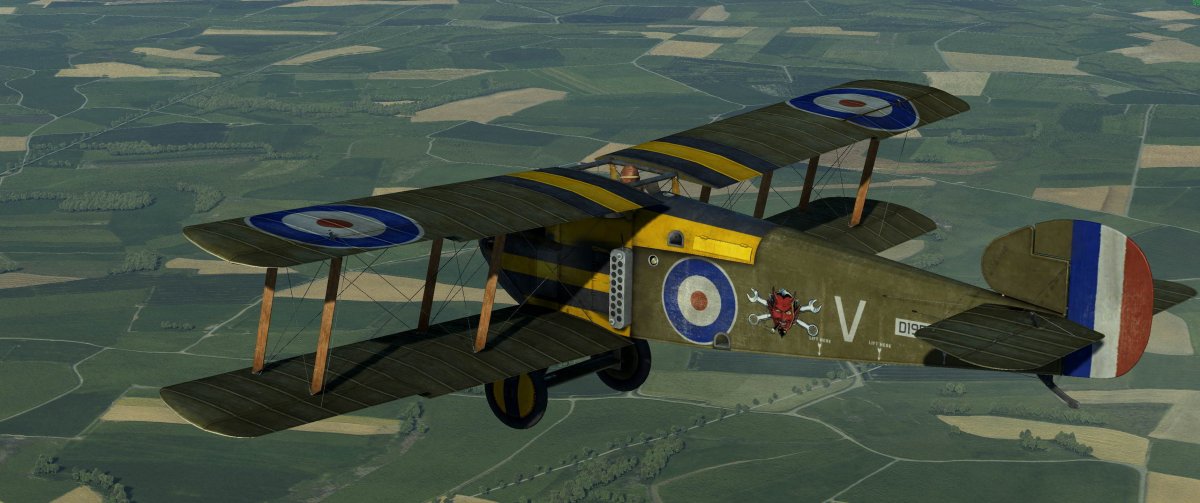
I'm planning on compiling a skinpack for the upcoming Winter 2020 FIF. This will be the first time for FIF on Flying Circus. The skinpack will be similar to what I did for J5's Black September and will be a zip file with all skins in their proper folders. In fact, those who have already submitted their skins to Black September need not submit skins unless there have been changes since then. This is purely voluntary. Custom skins are not required to participate. (I would encourage everyone to install them though... you DO want to be able to see who you are shooting down... don't you? 😈). Please submit links to your skins before Tues Jan 28. The pack will be posted with the link on this OP on Thurs Jan 30. Please see the submission rules here: FIF 2020 SKIN PACK (29 January 2020) UPDATED: Full Skinpack is updated and zipped. Download here: https://www.dropbox.com/sh/pfy1nmgxfcv3y41/AACE82augCfpOXhCE4hZ-rzBa?dl=0 This is Flying Circus FIF Winter (V2). There were some mistakes and omissions in the original file. If you haven't yet installed the original file Flying Circus FIF Winter just download and install this one. Hopefully all is fixed 🙄. Sadly... another error. There is a "data" file within the main "data" file. If you installed as is into the game folder, move the secondary "data" into your main game folder and allow overwrite. The Flying Circus FIF Winter (V2) has been fixed but probably too late for today's FIF. If you did install the original file, you don't have to do it all over... download and install Flying Circus FIF Winter Patch(1). Download here: https://www.dropbox.com/sh/66c3reqjqpt82np/AAAwVvGuvqfcb6Ui3-q81Jcra?dl=0 Allow overwrite. There were SPAD skins in the Camel folder for 28th Aero Squadron, 93d Aero Squadron, 103d Aero Squadron and 213th Aero Squadron, as well as z 3PG. Please delete them. Also, please delete the skin file called ! JG1 FokkerDr1 Luftritter B from the FokkerDr1 folder (note the "B" on the end. Do not delete the main file that has no "B" on the end). Both are in a zip file with the architecture: data\graphics\skins\*with the individual plane folders* You should be able to unzip it into your IL-2 Sturmovik Battle of Stalingrad game folder and it will auto populate. However, I would suggest unzipping it into a temp folder first just to check and if everything looks good then cut and paste the complete data folder to your IL-2 Sturmovik Battle of Stalingrad game folder. Allow overwrite since many of the files have the same name as prior skins but have been changed. Let me know of any additional mistakes or issues 😏. Salute!
-
This It's not that much of a PITA once skins are submitted and makes it more likely that all participants will have the skins installed if it's just one download rather than a bunch of individual files which may or may not have been put into a consolidated zip file with all skins in their proper place..So, I was working on another screenshot where the subject is a 109 having it's guns harmonized by the armourers on the ground with the cowlings off. I needed a 3/4 view of the MG-17 nose guns but couldn't find a satisfactory image. This is the raw inspiration image. I thought that it couldn't be too hard to do a 3D model of the guns, that way I could rotate it to whatever angle I needed and take a screenshot to use in Photoshop... yeah, how hard could it be... 🙄 I downloaded Blender and started checking Youtube tutorials... but Blender just changed from 2.7 to 2.8 and lots of the tools and shortcuts have been changed so any of the earlier tutorials were confusing... I'm slowly getting a handle on it though and really enjoying the process. Here's what I have after a couple of weeks of head scratching: Still have a long way to go though. Anyone here have Blender experience?

 Added Luftritter's Cl2 skins. File: Flying Circus Update Jan 5 2020. [link removed] This is in the OP above.The couple that flies together.... well, let's all hope for the best...😉 Seriously, a most hearty welcome to you Lady!Santa? https://www.artstation.com/artwork/8l06wOWe don't need no stinking permission 😂 Hearty congrats "Gramps"! Something great to be on your "gratitude" list for Thanksgiving.Flying Circus skins updated. Added Flying Goat's skins and Vonrd's updated Entente skins. File: Flying Circus Update Nov 24 2019 [link removed] This is in the OP above.I'm happy with my Saitek X55 which I've had for several years. I think the latest version is the X56. Beware though... some people have had problems with them, the build quality is not the best and support is problematic.Nice! So... the SPAD is a screenshot...yes? Is that you as the pilot?It's at least 5 (and maybe more).Sorry about the late response. @Heinrich, I don't dispute that your file naming idea is a good one and I could re-name them if those that might have already downloaded them are willing... they would have to delete them and install the re-named ones. Perhaps going forward the European skins could have something like "Eu Yellow 4" ? Or we could go with your idea as well since the only European skins so far are Baron's... as I said about the original re-naming thread: "The unfortunate thing is this will require the deletion of ALL of the prior JG1 skins (with the exception of Baron's skins. I didn't re-name his and it's up to him if he wants to re name them to this convention). " As for the current skins... I really don't want to do any changes.Great Battles skins updated. Added Heinrich's FW190s. File: GB Updates Nov 2019 No 2 [link removed] This is in the OP above.Posting them in the Skinpack thread as GB Updates Nov 2019 No 2. Heinrich, I renamed them... for example: ! JG1 Fw190A3 Smr Yellow 4 The idea is so that if you get transfered or leave (I certainly hope that will never come to pass 😏) , whoever takes your place will have their skin still named as "Yellow 4" and it will simply overwrite. So, be sure to rename them in your GB Skins folder.