Razwald
-
Posts
1,541 -
Joined
-
Last visited
-
Days Won
41
Everything posted by Razwald
-
 Thanks guys.
 -
GB update file is empty. FC is fine.
-
Glad you're safe.
-
Hey Emerlist Halloween would not be complete without a Cthulhu inspired song so here you go
-
Stay safe guys.
-
Don't see why it wouldn't. It should read as two separate controls. Not sure. I use 4 and have had 5 in but never tried to use my game pad as a controller. I don't use my DSD controller at the moment. I could put it in and my game pad controller which would make 6. I will do it Sunday if I remember.
-
There is another way. You can install the VR mod that some of us use. There are a few features that apply for VR and standard. One of them is a brightness and saturation change. You can toggle between two settings in the game at anytime. The values can also be changed to your individual liking. I'm using the 2 default settings right now mod version 14.1. Haven't had time to mess with the settings. Back in previous version I had my settings tweaked but he overhauled the color system since then and I really haven't felt the need to tweak them. May be during Thanksgiving when I have a couple days off I will. Mod in IL2 forum
-
No problems here.
-
Left Alt-k although the mod should be fixed tomorrow. I uninstalled it until tomorrow It seemed to slow my game down for some reason.
-
I wasn't able to respond because I read these at work. As soon as I read them I knew what the issue was. Its been awhile since I had set up my controls forgot that stabilizer and elevator trim are 2 separate things.
-
Here is another way to say it. In the 109 I see a wheel for elevator trim. So by their programming I should be using an axis wheel to adjust. However the 109 is still push button adjustment . Which is the same as before the new download. The 190 has a electrical switch for trim so the trim hat works as before. So when I set up my trim hat. The elevator trim works on both the 109 and 190. The trim hat did not work on the P-38, P-51 and LA-5. Those I had to set up an axis to control the trim. I may also be missing something I didn't have time to go into the aircraft to really see what was going on. If this is the way it is I'm ok with it. My throttle has a free axis for elevator and my control I built has two more axis I can use. Its the people that are short of axes what are they to do.
-
So another change is if trim is on a axis in the aircraft its an axis in game. Except for the 109 that is still a push button in game. Despite having a wheel for trim. Not sure why that is still a 2 button trim but I'm glad. The 190 had electric controls for trim so that is correct. Aircraft like the P-51, P-38, La-5, are now trimmed out with axis controls.
-
JG-1 "Fritz Schmenkel" - Red Flag Rumble (28 September 2019)
Razwald replied to Klaiber's topic in Squadron News
Copy and paste. -
Thanks. That is news to me.
-
Well well well. This is the first I have heard of this song and around 20 seconds to 45 seconds it sounds a lot like this song from my childhood
-
“The most merciful thing in the world, I think, is the inability of the human mind to correlate all its contents. We live on a placid island of ignorance in the midst of black seas of infinity, and it was not meant that we should voyage far. The sciences, each straining in its own direction, have hitherto harmed us little; but some day the piecing together of dissociated knowledge will open up such terrifying vistas of reality, and of our frightful position therein, that we shall either go mad from the revelation or flee from the deadly light into the peace and safety of a new dark age.”― H.P. Lovecraft, The Call of Cthulhu
-
To start when I test VR FPS. I have a couple custom built stuff such as 2 Mig-15 versus 2 F-86 over open water. Not a lot of stress there so its more of what can I do to get it close to max FPS. The other test I use is Instant Action free flight usually the F-18C or Mig-21 with radar off. I've been running across some guys using programs to kill unwanted background tasks, Free up RAM and forcing single threading. Anyone tried this? One of those guys had a tip that was easier and I went from 45 FPS in the Hornet free flight to 60 FPS. Changing the default FOV from 140 to 120. Its in the Server.lua file located here DCSWorld\Config\View Change this CameraViewAngleLimits = {20.000000,140.000000}, to this CameraViewAngleLimits = {20.000000,120.000000},
-
It doesn't help however we don't have drop tanks or the ability for carrier ops. I would be more than happy to throw on a couple of drop tanks in a Dead is Dead. Fly for 50 minutes one way. Get in tussle. Fly back and call it a day. Like he said some of us just wont get what we want. I'm fine with that as long as I get what I want. In all serious though the wording concerns me about building a new engine. How much of the WWI and WWII stuff will get done before they decide to start over.
-
Good catch. I didn't think of that.
-
I didn't sign up. I'm unreliable this time of year and I wouldn't want to take up someones spot if I can't commit.
-
My opinion is the same as Hotlead's. I will wait until all the new skin updates settle down. Then I will down load all the skins including any squad we fly with on a regular basis.
-
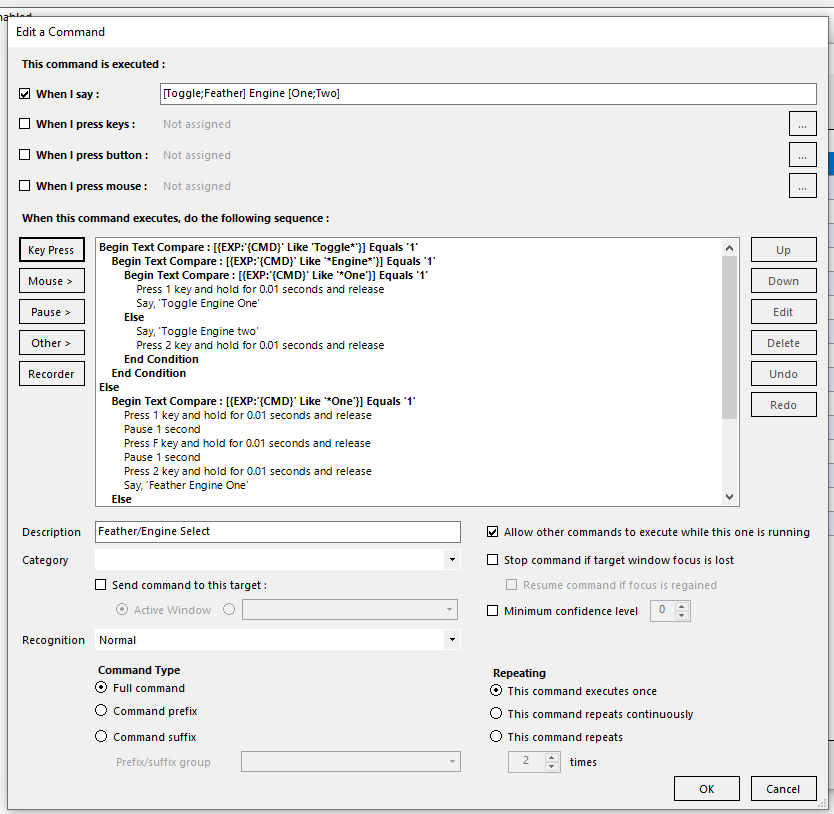
This is the video that gave me the idea for the toggle/Feather engine command.
-
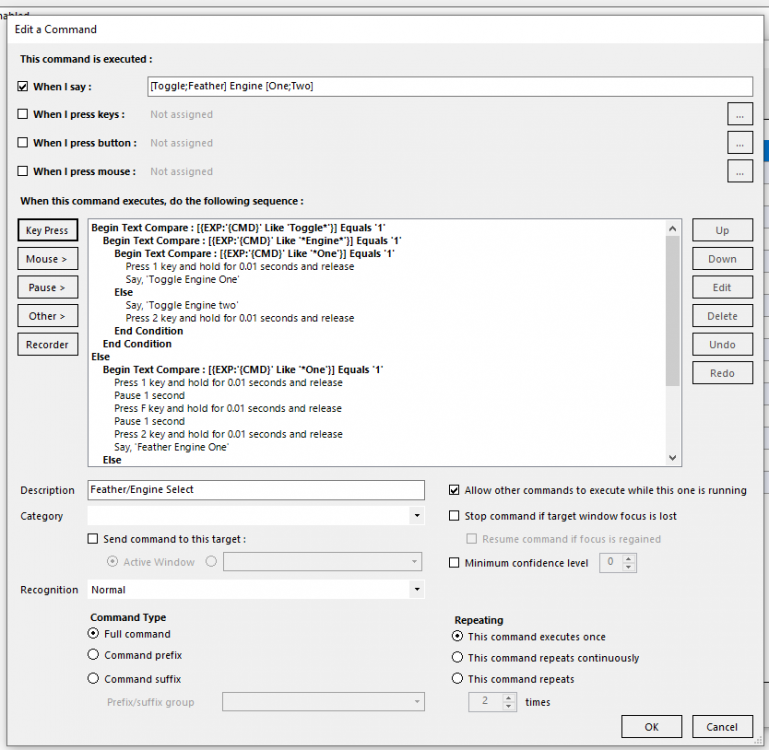
This next one is a little tricky. Do not remember fully how I set this up. The idea is to be able to toggle engine one or two. Or feather engine one or two. So if I say toggle engine one it will select engine one. If I say feather engine one it will select engine one feather it and reselect engine 2. The toggle engine can get tricky if you are not paying attention. I mostly use the feather option. The toggle is there if you need it. Also I will post the screen shot but the whole command isn't there so I will copy paste the whole thing under the screen shot. Begin Text Compare : [{EXP:'{CMD}' Like 'Toggle*'}] Equals '1' Begin Text Compare : [{EXP:'{CMD}' Like '*Engine*'}] Equals '1' Begin Text Compare : [{EXP:'{CMD}' Like '*One'}] Equals '1' Press 1 key and hold for 0.01 seconds and release Say, 'Toggle Engine One' Else Say, 'Toggle Engine two' Press 2 key and hold for 0.01 seconds and release End Condition End Condition Else Begin Text Compare : [{EXP:'{CMD}' Like '*One'}] Equals '1' Press 1 key and hold for 0.01 seconds and release Pause 1 second Press F key and hold for 0.01 seconds and release Pause 1 second Press 2 key and hold for 0.01 seconds and release Say, 'Feather Engine One' Else Say, 'Feather Engine Two' Press 2 key and hold for 0.01 seconds and release Pause 1 second Press F key and hold for 0.01 seconds and release Pause 1 second Press 1 key and hold for 0.01 seconds and release End Condition End Condition
-
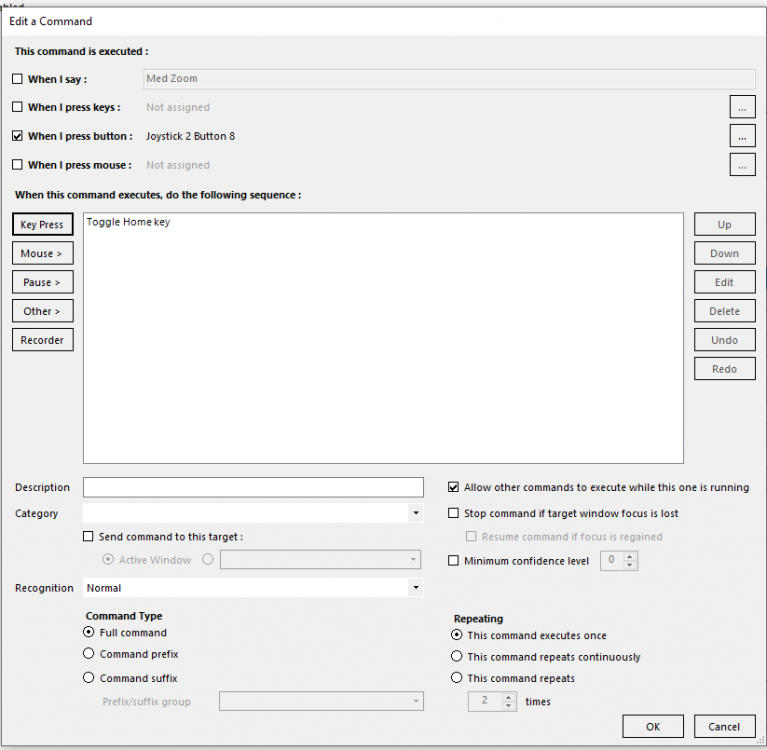
Here is how I use VA for key presses assigned to my joystick. I use this one for zoom with 3dmigoto mod in IL2 This way you can limit the number of programs running in the background.