Vonrd
-
Posts
5,793 -
Joined
-
Last visited
-
Days Won
498
Everything posted by Vonrd
-
I'm still struggling to get DCS to work and think this may be the issue (Changelog from Friday): OpenXR is removed from autosearch. DCS has a chain of VR vendors in priority oculus, OpenVR, Varjo, etc. OpenXR was in that chain in top priority, now it is removed from this chain and only available when you explicitly specify it in command line of DCS. From this thread and regarding changing shortcut properties: https://forum.dcs.world/topic/296983-open-composite-openxr-toolkit-tuning-guide-updated-091022/page/26/ Although you don't technically I just have the use VR headset box checked in options. I changed the shortcut "Target" as above and DCS launches in VR (headset only... nothing on monitor). Well, that's fine and dandy except that I have no mouse cursor. I took a whole day off from the computer because of frustration and am back in the same boat today with blood pressure on the rise. There's another thread regarding Steam VR vs OpenXR changes: https://forum.dcs.world/topic/318110-confusion-steamvr-vs-openxr-opencomposite-8/ Members 1k Posted Thursday at 03:38 PM It drives me a bit nuts how people throw around the words and mixing stuff up adding more to the confusion. Let's try to clear this up: - VR runtimes and VR APIs - SteamVR can do OpenVR and OpenXR. Oculus can do LibOVR and OpenXR. Windows Mixed Reality can do WMR and OpenXR. (Microsoft couldn't find an additional name to distinguish between their VR runtime and VR API) :P 1. DCS now talks OpenXR 2. Before the latest patch DCS could only talk OpenVR (SteamVR's native VR API) and LibOVR (Oculus's native VR API). 3. DCS never could talk WMR, the Windows Mixed Reality API by Microsoft (Sadly HP chose WMR as main VR runtime for the Reverb series, here starts most of the trouble...). 4. Microsoft made a very bad "WMR for SteamVR plugin" so that WMR headset owners would be at least able to play VR games over SteamVR and it's OpenVR API because nobody really made VR games for WMR. This WMR plugin is basically a very underpaid translator, talking OpenVR to WMR, a bad choice of middleman software for popular headsets like HP's Reverb series. 5. So for DCS that means - it talked OpenVR to the WMR for SteamVR plugin wich translated everything to WMR. This wasn't working very well. Thank you Microsoft (good that they now finally stopped this). So OpenComposite came in for the rescue. It translates everything from DCS to OpenXR, the only other VR API that WMR understands. And OpenComposite put a lot of tuning options into it to compensate WMR performance troubles. It is the better translator. 6. OpenXR was developed by Khronos Group to end this mess - One API for ALL! 7. Guess what, SteamVR can also natively talk OpenXR. Oculus can also natively talk OpenXR. 8. OpenComposite is not OpenXR. Sadly a lot of people, mostly HP Reverb owners, refer to OpenComposite as OpenXR. That's not correct. It's also unfair to blame SteamVR for having bad performance if you plug a WMR headset to it via the inferior "WMR for SteamVR plugin". 9. For DCS now everything is about to change! SteamVR native HMD --> Oculus native HMD --> OpenXR --> DCS WMR native HMD --> No more translators needed, finally. Each VR runtime has OpenXR included for quite some time already. If you have a myriad of VR tweaks installed, especially if you were going the OpenComposite route, just start fresh. Step by Step. In the coming months a lot is going to change. Most guides are already deprecated now. Especially for DCS and VR and HP Reverb owners. (And no, DCS bought on Steam doesn't mean you have to use SteamVR. Steam as a shop and SteamVR as a system component are completely different things. You can now use DCS standalone or DCS from Steam with every VR runtime that is compatible with your VR HMD.) I guess I'll keep thrashing at it. Might have to go back to SteamVR??? It all sucks since I finally had good settings for spotting.
-
More detail and with graphics.
-
I've read all of his prior books and they are excellent. Very believable and well researched (with footnotes). He was an Army helicopter pilot serving for 18 months in Vietnam. This is about the clusterf*** (on the part of the South Vietnamese and some of the remaining US high command) of how the North Vietnamese began their conquest. I was unaware of how many US advisors were still there and how involved they were.
-
The ultimate fighter jock song
-
Good visual of the affect: And here's the full video from which this was derived. Shows pre VRS, entry and recovery. (Why they're doing this in such unforgiving terrain? No idea except this is what Swiss are used to?).
-

JG-1 "Fritz Schmenkel" - VWA / JG-1 Event (14 January 2023)
Vonrd replied to Klaiber's topic in Squadron News
Distinguished Service Medal of the National People's Army in Bronze -
Also maybe this one?
-
How can we check to see if this is taking place?
-
RIP Jeff,
-
FIST FIGHT! FIST FIGHT! FIST FIGHT IN THE PARKING LOT!
-
Love it!
-
I saw lots of F-4 Phantoms looks like the A-4 might be made official (wonder how much they'll charge?) along with the F4U it looked like probable AI Zero and Betty? They'll need a straight deck... LA-5? F-15? Napalm?
-
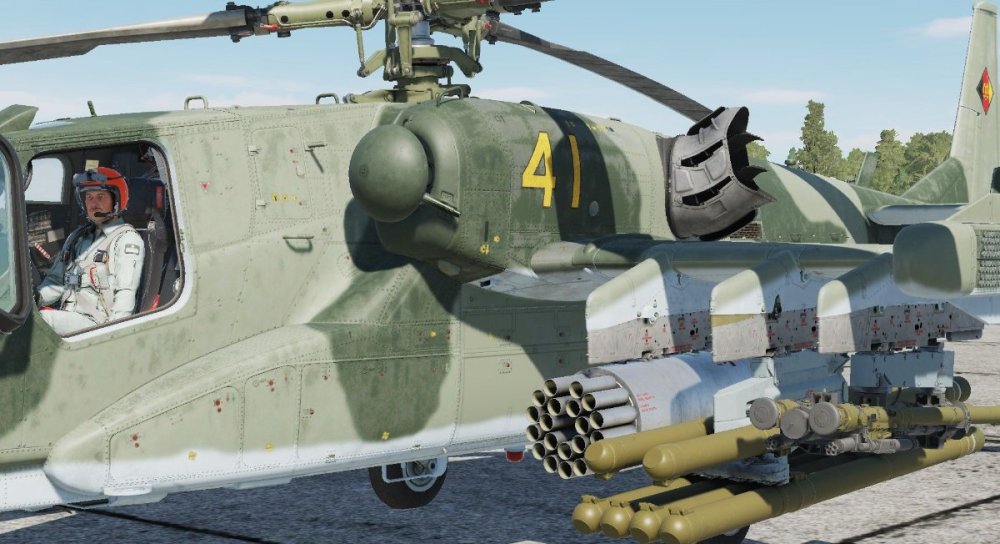
Blackshark 3 Fictional East German Skin includes East German pilot. Uploaded to DCS User Files but I don't have a link yet... awaiting approval my moderators. I've attached the zip file here. Official Template hasn't been released yet so I made my own. It's fairly basic but if anyone wants it I'd be happy to provide it. Ka-50_3 East German Fictional.zip

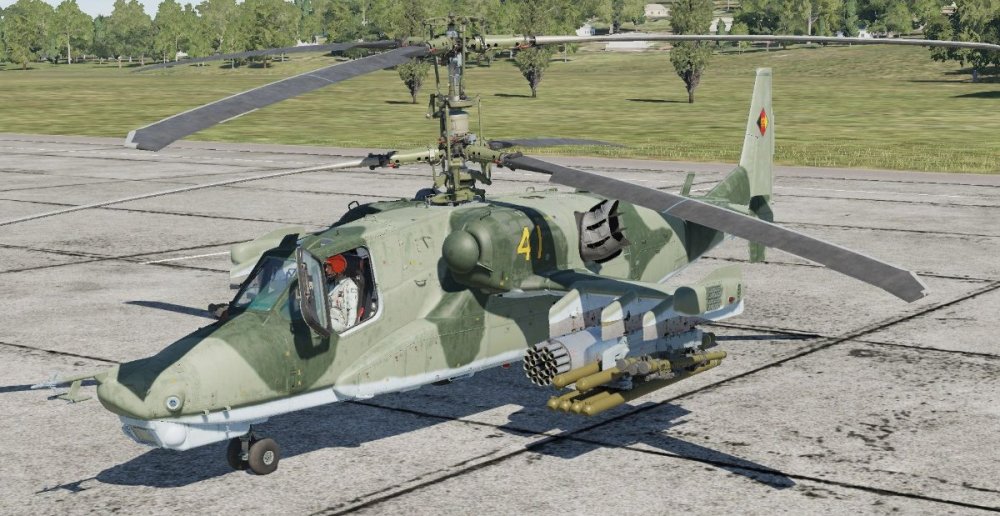
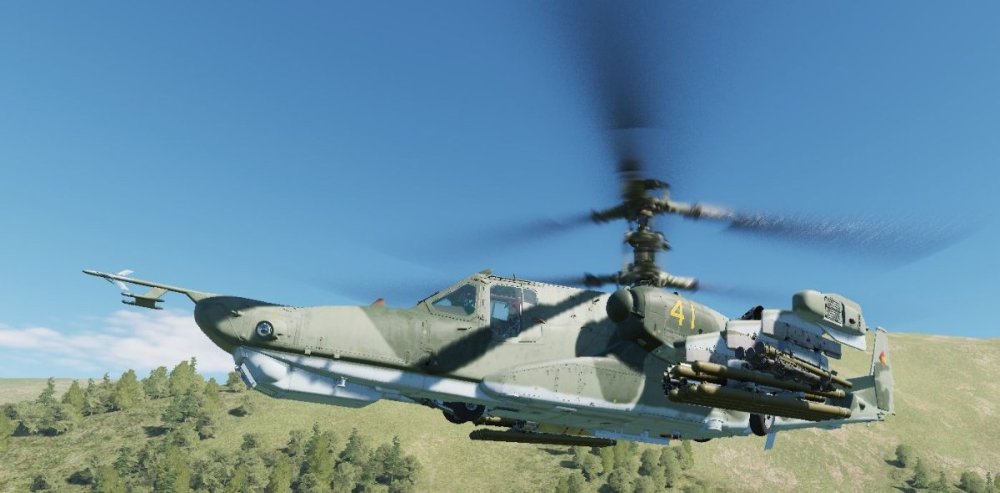
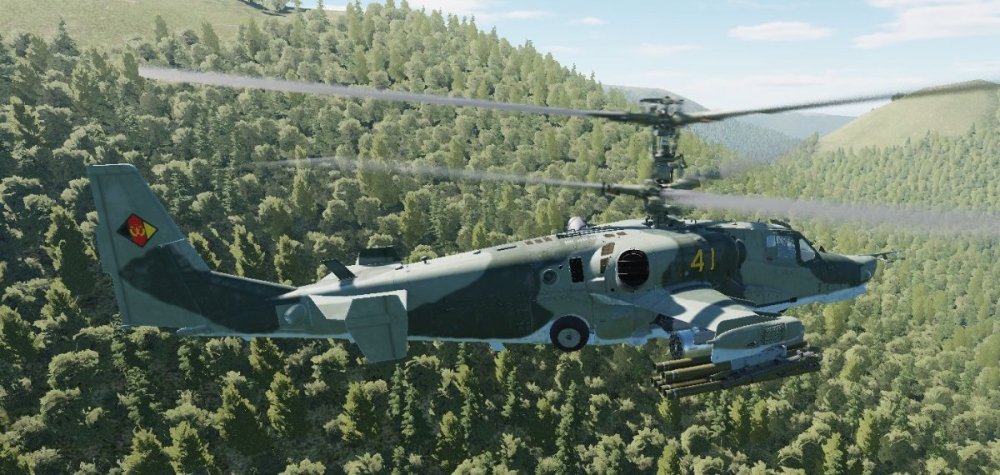
- 341 replies
-
- 2
-

-
- skins
- submission
- (and 1 more)
-
@Greif - I uninstalled using Windows Add / Remove Programs and then had to delete an Openkneeboard file in the Registry located here: Computer\HKEY_LOCAL_MACHINE\SOFTWARE\Khronos\OpenXR\1\ApiLayers\Implicit I'm going to wait a while before trying Openkneeboard again since it seems that others are having the same issue as I saw in the OpenXr Discord. Maybe there will be a fix in a future update.
-
I found it. It was OpenKneeboard.
-
This is the log file. I've highlighted what appears to be issues with DirectX 11. [OXRTK] 2022-12-31 15:05:50 -0800: OpenXR Toolkit - GA-2 (v1.2.3) [OXRTK] 2022-12-31 15:05:50 -0800: dllHome is "C:\Program Files\OpenXR-Toolkit" [OXRTK] 2022-12-31 15:05:50 -0800: OpenXR-Toolkit layer is active [OXRTK] 2022-12-31 15:05:50 -0800: Using layer: XR_APILAYER_NOVENDOR_XRNeckSafer [OXRTK] 2022-12-31 15:05:50 -0800: Using layer: XR_APILAYER_FREDEMMOTT_OpenKneeboard [OXRTK] 2022-12-31 15:05:50 -0800: Runtime supports extension: XR_KHR_win32_convert_performance_counter_time [OXRTK] 2022-12-31 15:05:50 -0800: Runtime supports extension: XR_KHR_D3D11_enable [OXRTK] 2022-12-31 15:05:50 -0800: Runtime supports extension: XR_KHR_D3D12_enable [OXRTK] 2022-12-31 15:05:50 -0800: Runtime supports extension: XR_KHR_composition_layer_depth [OXRTK] 2022-12-31 15:05:50 -0800: Runtime supports extension: XR_KHR_composition_layer_color_scale_bias [OXRTK] 2022-12-31 15:05:50 -0800: Runtime supports extension: XR_MSFT_unbounded_reference_space [OXRTK] 2022-12-31 15:05:50 -0800: Runtime supports extension: XR_MSFT_spatial_anchor [OXRTK] 2022-12-31 15:05:50 -0800: Runtime supports extension: XR_MSFT_perception_anchor_interop [OXRTK] 2022-12-31 15:05:50 -0800: Runtime supports extension: XR_EXT_win32_appcontainer_compatible [OXRTK] 2022-12-31 15:05:50 -0800: Runtime supports extension: XR_EXT_conformance_automation [OXRTK] 2022-12-31 15:05:50 -0800: Runtime supports extension: XR_MSFT_composition_layer_reprojection [OXRTK] 2022-12-31 15:05:50 -0800: Runtime supports extension: XR_MSFT_spatial_graph_bridge [OXRTK] 2022-12-31 15:05:50 -0800: Runtime supports extension: XR_MSFT_spatial_anchor_persistence [OXRTK] 2022-12-31 15:05:50 -0800: Runtime supports extension: XR_EXT_palm_pose [OXRTK] 2022-12-31 15:05:50 -0800: Runtime supports extension: XR_MSFT_scene_understanding [OXRTK] 2022-12-31 15:05:50 -0800: Runtime supports extension: XR_MSFT_scene_understanding_serialization [OXRTK] 2022-12-31 15:05:50 -0800: Runtime supports extension: XR_FB_display_refresh_rate [OXRTK] 2022-12-31 15:05:50 -0800: Runtime supports extension: XR_EXT_eye_gaze_interaction [OXRTK] 2022-12-31 15:05:50 -0800: Runtime supports extension: XR_MSFT_hand_interaction [OXRTK] 2022-12-31 15:05:50 -0800: Runtime supports extension: XR_EXT_hand_tracking [OXRTK] 2022-12-31 15:05:50 -0800: Runtime supports extension: XR_EXT_hand_joints_motion_range [OXRTK] 2022-12-31 15:05:50 -0800: Runtime supports extension: XR_MSFT_hand_tracking_mesh [OXRTK] 2022-12-31 15:05:50 -0800: Runtime supports extension: XR_MSFT_controller_model [OXRTK] 2022-12-31 15:05:50 -0800: Runtime supports extension: XR_KHR_visibility_mask [OXRTK] 2022-12-31 15:05:50 -0800: Runtime supports extension: XR_EXT_samsung_odyssey_controller [OXRTK] 2022-12-31 15:05:50 -0800: Runtime supports extension: XR_EXT_hp_mixed_reality_controller [OXRTK] 2022-12-31 15:05:50 -0800: Application name: 'OpenComposite_DCS', Engine name: '' [OXRTK] 2022-12-31 15:05:50 -0800: Detected OpenComposite [OXRTK] 2022-12-31 15:05:50 -0800: Using OpenXR runtime Windows Mixed Reality Runtime 112.2211.2002 [OXRTK] 2022-12-31 15:05:50 -0800: Using OpenXR system Windows Mixed Reality [OXRTK] 2022-12-31 15:05:50 -0800: Ignoring XR_MSFT_hand_interaction for Windows Mixed Reality Runtime 112.2211.2002 [OXRTK] 2022-12-31 15:05:50 -0800: OpenXR Toolkit - GA-2 (v1.2.3) [OXRTK] 2022-12-31 15:05:50 -0800: dllHome is "C:\Program Files\OpenXR-Toolkit" [OXRTK] 2022-12-31 15:05:50 -0800: OpenXR-Toolkit layer is active [OXRTK] 2022-12-31 15:05:50 -0800: Using layer: XR_APILAYER_NOVENDOR_XRNeckSafer [OXRTK] 2022-12-31 15:05:50 -0800: Using layer: XR_APILAYER_FREDEMMOTT_OpenKneeboard [OXRTK] 2022-12-31 15:05:50 -0800: Runtime supports extension: XR_KHR_win32_convert_performance_counter_time [OXRTK] 2022-12-31 15:05:50 -0800: Runtime supports extension: XR_KHR_D3D11_enable [OXRTK] 2022-12-31 15:05:50 -0800: Runtime supports extension: XR_KHR_D3D12_enable [OXRTK] 2022-12-31 15:05:50 -0800: Runtime supports extension: XR_KHR_composition_layer_depth [OXRTK] 2022-12-31 15:05:50 -0800: Runtime supports extension: XR_KHR_composition_layer_color_scale_bias [OXRTK] 2022-12-31 15:05:50 -0800: Runtime supports extension: XR_MSFT_unbounded_reference_space [OXRTK] 2022-12-31 15:05:50 -0800: Runtime supports extension: XR_MSFT_spatial_anchor [OXRTK] 2022-12-31 15:05:50 -0800: Runtime supports extension: XR_MSFT_perception_anchor_interop [OXRTK] 2022-12-31 15:05:50 -0800: Runtime supports extension: XR_EXT_win32_appcontainer_compatible [OXRTK] 2022-12-31 15:05:50 -0800: Runtime supports extension: XR_EXT_conformance_automation [OXRTK] 2022-12-31 15:05:50 -0800: Runtime supports extension: XR_MSFT_composition_layer_reprojection [OXRTK] 2022-12-31 15:05:50 -0800: Runtime supports extension: XR_MSFT_spatial_graph_bridge [OXRTK] 2022-12-31 15:05:50 -0800: Runtime supports extension: XR_MSFT_spatial_anchor_persistence [OXRTK] 2022-12-31 15:05:50 -0800: Runtime supports extension: XR_EXT_palm_pose [OXRTK] 2022-12-31 15:05:50 -0800: Runtime supports extension: XR_MSFT_scene_understanding [OXRTK] 2022-12-31 15:05:50 -0800: Runtime supports extension: XR_MSFT_scene_understanding_serialization [OXRTK] 2022-12-31 15:05:50 -0800: Runtime supports extension: XR_FB_display_refresh_rate [OXRTK] 2022-12-31 15:05:50 -0800: Runtime supports extension: XR_EXT_eye_gaze_interaction [OXRTK] 2022-12-31 15:05:50 -0800: Runtime supports extension: XR_MSFT_hand_interaction [OXRTK] 2022-12-31 15:05:50 -0800: Runtime supports extension: XR_EXT_hand_tracking [OXRTK] 2022-12-31 15:05:50 -0800: Runtime supports extension: XR_EXT_hand_joints_motion_range [OXRTK] 2022-12-31 15:05:50 -0800: Runtime supports extension: XR_MSFT_hand_tracking_mesh [OXRTK] 2022-12-31 15:05:50 -0800: Runtime supports extension: XR_MSFT_controller_model [OXRTK] 2022-12-31 15:05:50 -0800: Runtime supports extension: XR_KHR_visibility_mask [OXRTK] 2022-12-31 15:05:50 -0800: Runtime supports extension: XR_EXT_samsung_odyssey_controller [OXRTK] 2022-12-31 15:05:50 -0800: Runtime supports extension: XR_EXT_hp_mixed_reality_controller [OXRTK] 2022-12-31 15:05:50 -0800: Application name: 'OpenComposite_DCS', Engine name: '' [OXRTK] 2022-12-31 15:05:50 -0800: Detected OpenComposite [OXRTK] 2022-12-31 15:05:50 -0800: Using OpenXR runtime Windows Mixed Reality Runtime 112.2211.2002 [OXRTK] 2022-12-31 15:05:50 -0800: Using OpenXR system Windows Mixed Reality [OXRTK] 2022-12-31 15:05:50 -0800: Ignoring XR_MSFT_hand_interaction for Windows Mixed Reality Runtime 112.2211.2002 [OXRTK] 2022-12-31 15:05:50 -0800: Using OpenXR resolution (no upscaling): 3160x3092 [OXRTK] 2022-12-31 15:05:51 -0800: Using Direct3D 11 on adapter: NVIDIA GeForce RTX 4080 [OXRTK] 2022-12-31 15:05:51 -0800: Early initializeInterceptor() call [OXRTK] 2022-12-31 15:05:51 -0800: Open menu with CTRL+F3 [OXRTK] 2022-12-31 15:05:51 -0800: Projection calibration: 0.04737, -0.00397 | -0.04505, -0.00573 [OXRTK] 2022-12-31 15:05:54 -0800: D3D11Device destroyed [OXRTK] 2022-12-31 15:05:54 -0800: Session destroyed [OXRTK] 2022-12-31 15:05:54 -0800: Using Direct3D 11 on adapter: NVIDIA GeForce RTX 4080 [OXRTK] 2022-12-31 15:05:54 -0800: Early initializeInterceptor() call [OXRTK] 2022-12-31 15:05:54 -0800: Open menu with CTRL+F3 [OXRTK] 2022-12-31 15:05:55 -0800: Projection calibration: 0.04737, -0.00397 | -0.04505, -0.00573 [OXRTK] 2022-12-31 15:05:55 -0800: Creating swapchain with dimensions=3160x3092, arraySize=1, mipCount=1, sampleCount=1, format=29, usage=0x31 [OXRTK] 2022-12-31 15:05:55 -0800: Creating swapchain with dimensions=3160x3092, arraySize=1, mipCount=1, sampleCount=1, format=29, usage=0x31 [OXRTK] 2022-12-31 15:08:28 -0800: Opening menu [OXRTK] 2022-12-31 15:09:47 -0800: Opening menu [OXRTK] 2022-12-31 15:11:03 -0800: Opening menu [OXRTK] 2022-12-31 15:11:57 -0800: Opening menu [OXRTK] 2022-12-31 15:23:05 -0800: D3D11Device destroyed [OXRTK] 2022-12-31 15:23:05 -0800: Session destroyed
-
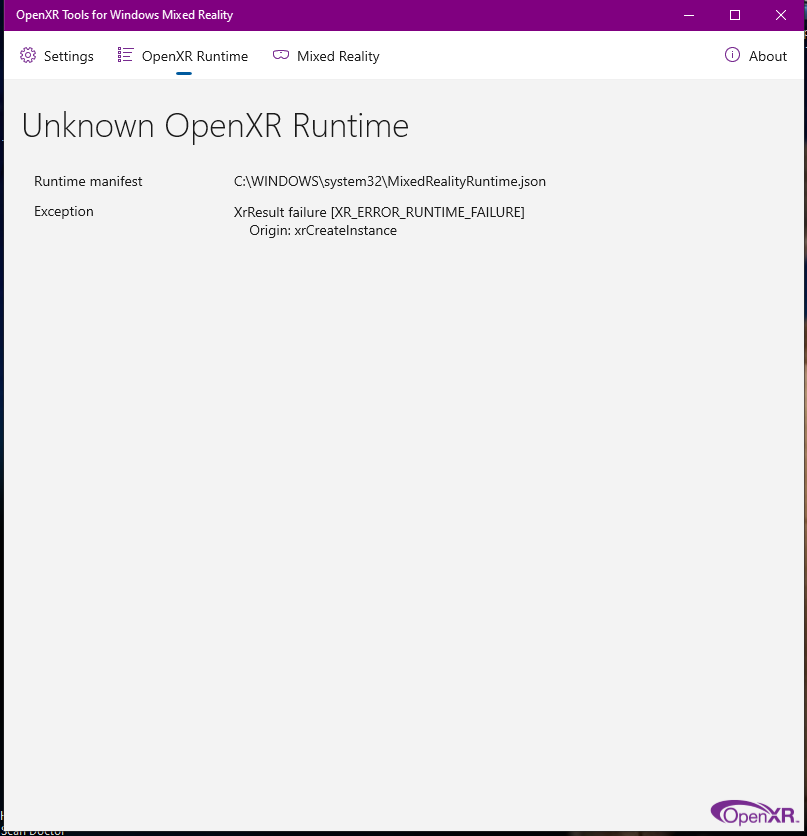
Went to play in VR today and my openXR says “XrResult failure (XR_ERROR_RUNTIME_FAILURE) Origin: xrcreateinstance(&createinfo, instance.put) I’ve tried rebooting and uninstalling openxr. Never had this issue before, any ideas? On Reddit, someone said: "Have you just installed the NIS (Nvidea Image Scaling) mod? I have the same issue straight after installing NIS, and when I uninstalled NIS, all good again." I don't have NIS activated in either NVidia Control Panel or NVidia GeForce Experience. Anyone have any idea what's causing this?

-
Strange but fascinating
-
Merry Christmas everyone!
-
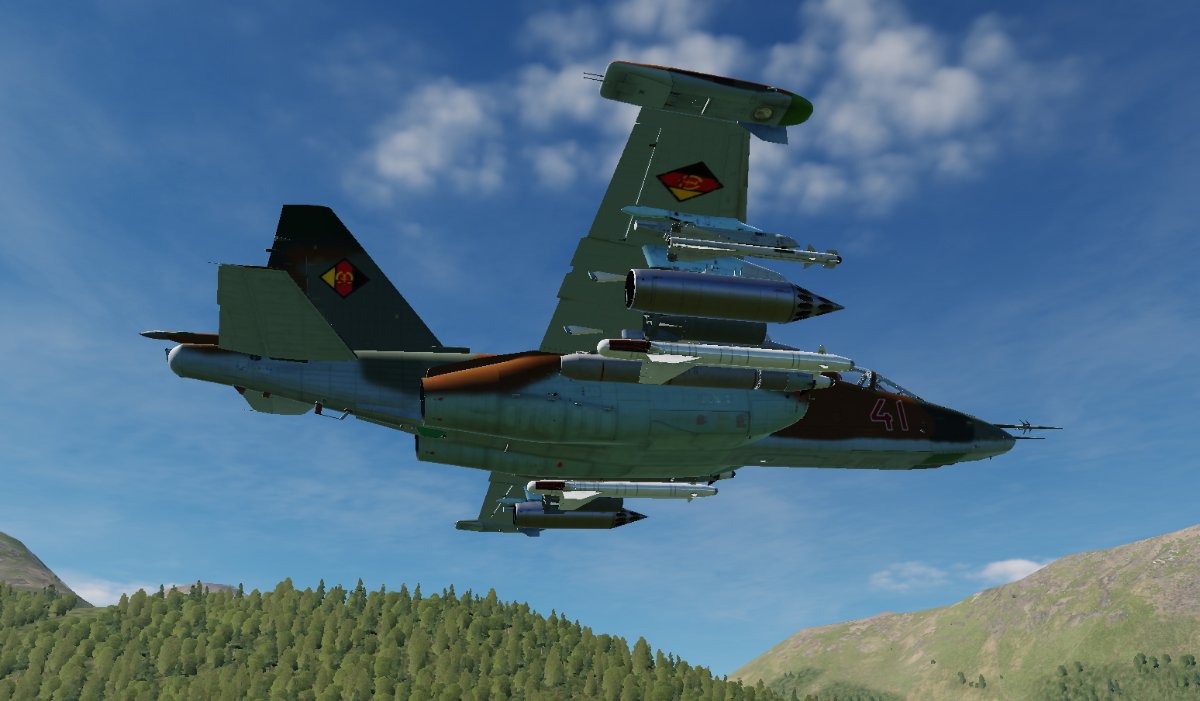
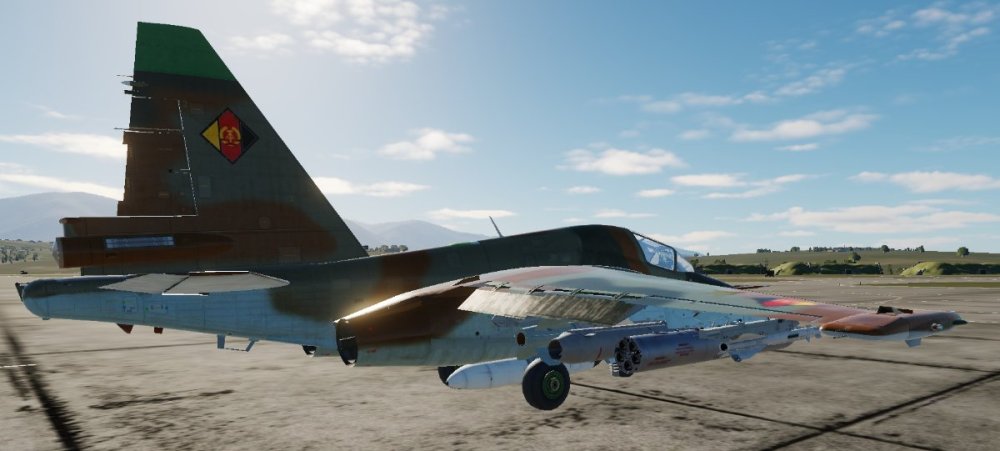
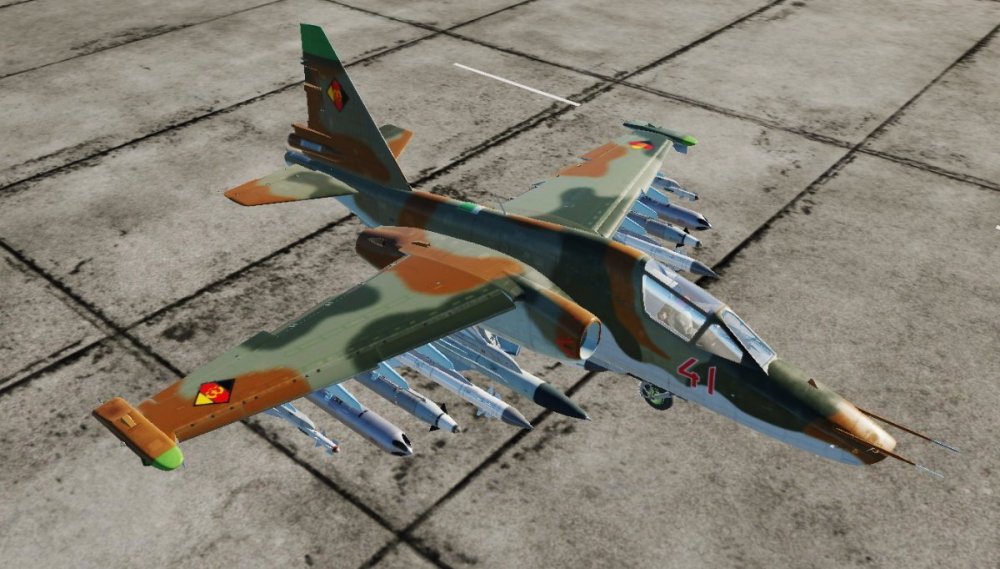
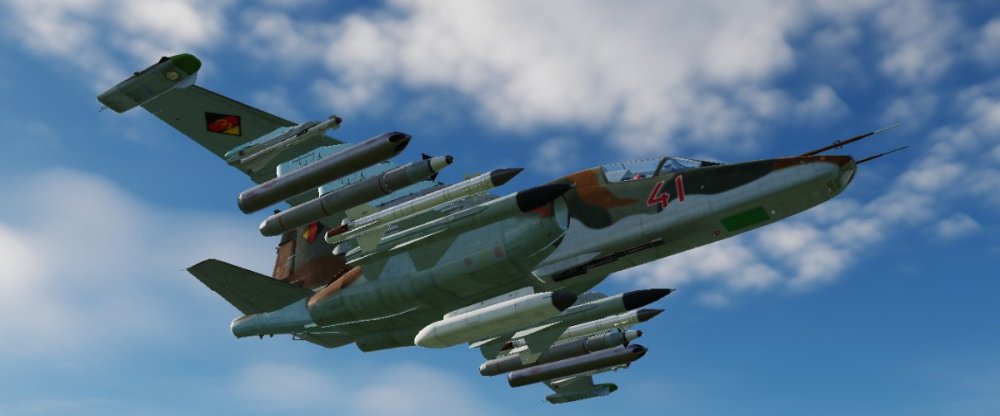
Here's the Su-25T. Posted to DCS User Files. Although not necessary, I recommend installing Grajo's Su-25T Roughness Patch v01 which can be found here: https://www.digitalcombatsimulator.com/en/files/3303986/. It get's rid of the dead / flat appearance and it passes integrity check.

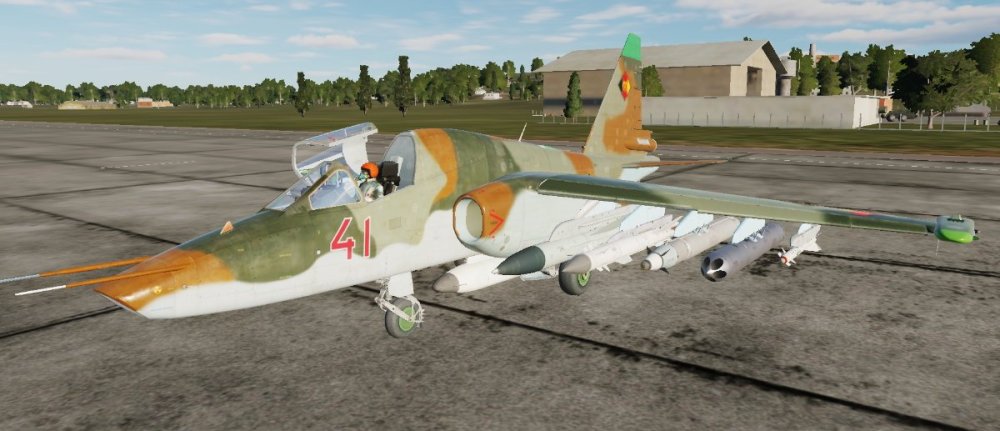
- 341 replies
-
- 3
-

-
-
- skins
- submission
- (and 1 more)
-
@Monkee Sounds like you would be a good fit! @Klaiber ,our CO should be responding soon but please be patient since it's the Holiday season.
-
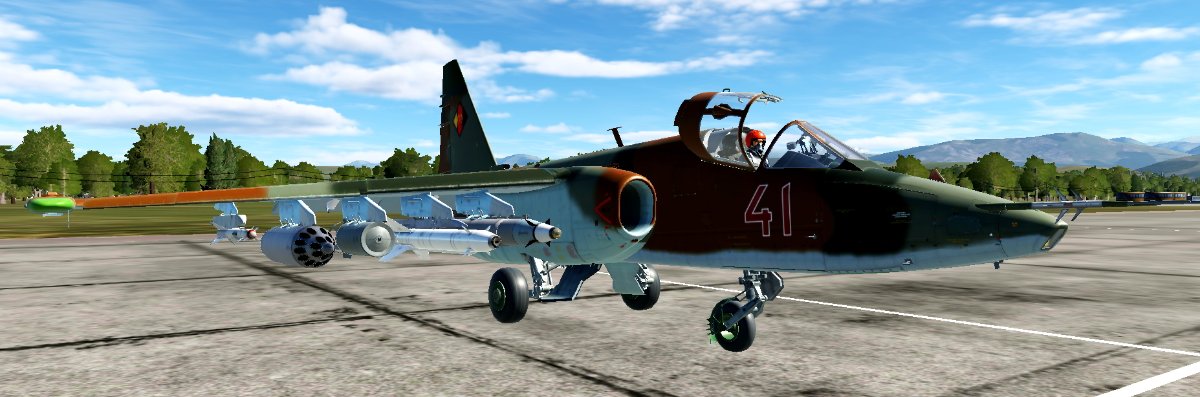
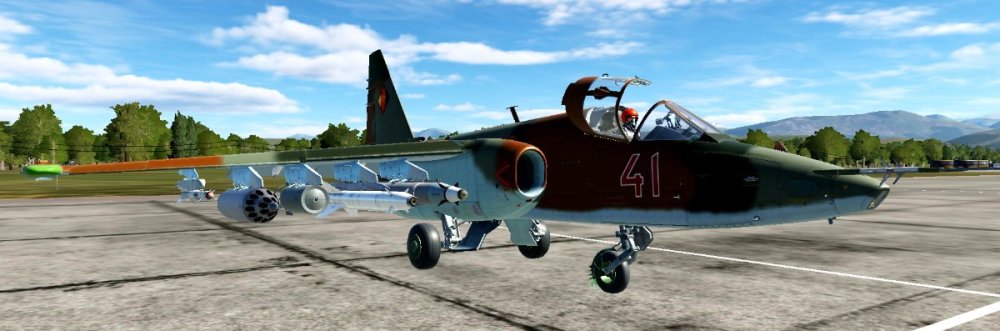
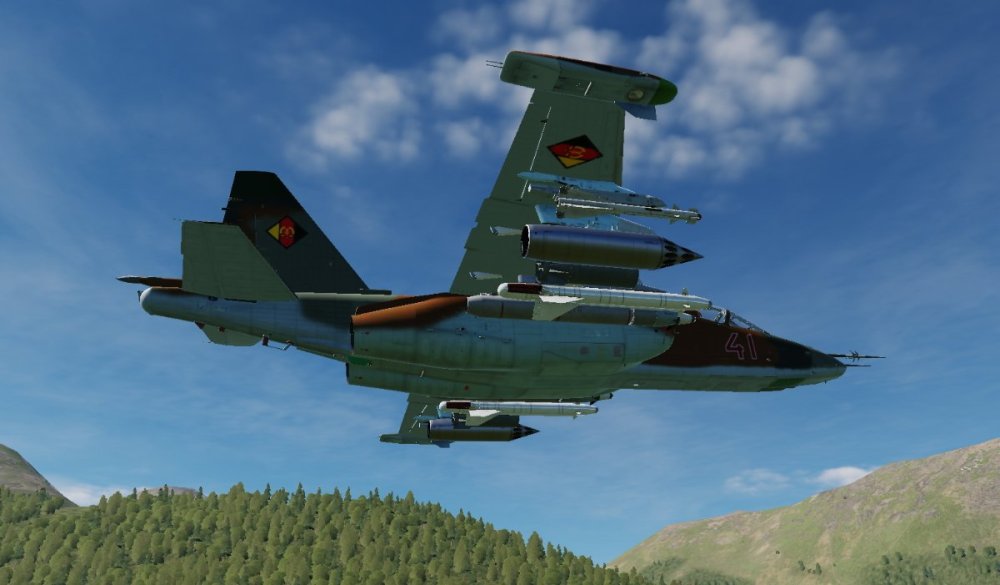
Fictional East German Su-25 skin. The Bort numbers are locked at only 2 digits but I don't think that's much of an issue. If needed, I can make two versions with a 4 and a 5 as first digits hard painted on but that means twice the space needed on your drive. Available at DCS User Files as well as here: https://www.dropbox.com/s/mhgoda6ozndj0lz/East German Fictional.zip?dl=0


- 341 replies
-
- 4
-
-
-
- skins
- submission
- (and 1 more)
-
RTX 4080
-
Take a look at this (there are other positive reviews out there as well): I tried it but couldn't positively identify which window was my AIO pump and didn't want to take the chance that it would be ramping up and down. (He says to run the pump at a constant appx 60% speed but his explanation is pretty vague). I'm leaving everything as set in BIOS for now but I would like to have a way to monitor temps in real time and also have a way to get notifications if temps are getting high. I saw somewhere that you can link RGB components to temp. My case fans have RGB but I have them off currently. I have no use for the bling but if they could be related to temps, I would be in for it.
-
I have an older version of MSI AB on my old machine but I'm not using it on the new one. I have no intention of OC anything at this point. Thanks for the heads up.